
BookingMachine
Help Center
Getting Started
Core Features
Payments & Analytics
Team & Scheduling
Integrations
Core Features
Custom Fields
Add custom form fields to collect business-specific information during booking.
What Are Custom Fields?
Custom fields let you collect additional information from customers during the booking flow. They appear in the customer info step. Configure them at Dashboard > Settings > Custom Fields.
Field Types
BookingMachine supports 10 field types:
| Type | Label in Settings | Use Case |
|---|---|---|
| text | Text | Short text (gate code, unit number, parking instructions) |
| textarea | Text Area | Long text (special instructions, detailed notes) |
| number | Number | Numeric values (square footage, number of rooms) |
| Additional email address | ||
| phone | Phone | Additional phone number |
| date | Date | Date selection (move-in date, follow-up date) |
| url | URL | Web links (property listing, reference photos) |
| boolean | Yes / No | Toggle (has pets, gated community, parking available) |
| select | Dropdown | Single choice from predefined options (property type, referral source) |
| multi_select | Multi-Select | Multiple choices from options (areas to focus on, special requests) |
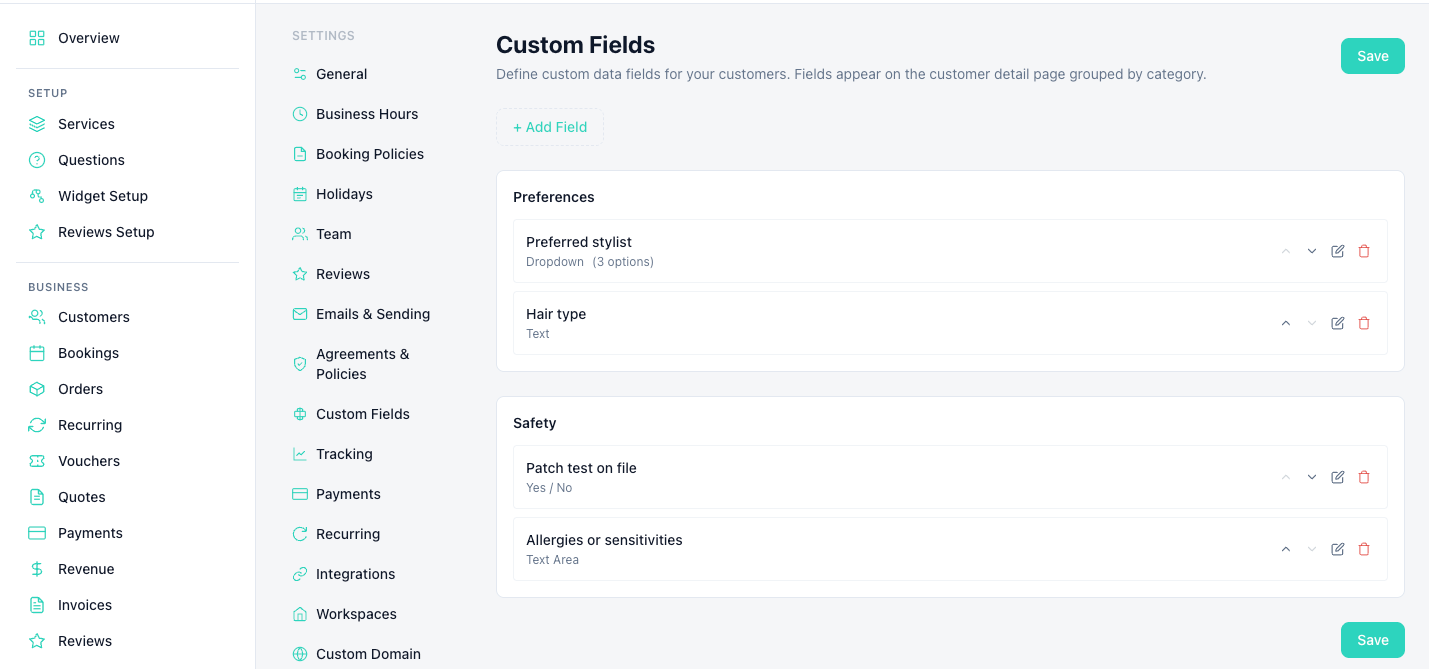
Creating a Custom Field
Go to Settings > Custom Fields
Navigate to Dashboard > Settings > Custom Fields from the sidebar.
Click "Add Field"
Enter the field label (what customers see), select the type, and choose a category.
Configure options
Set whether it's required, add placeholder text, and for select/multi_select types, define the options.
Save
Fields appear immediately in the booking widget for all services.
Viewing Responses
Custom field responses appear on the booking detail page and in the customer profile. They are included in booking confirmation emails sent to you and the customer.
Still have questions? Contact support