Help Center
Getting Started
Core Features
Payments & Analytics
Settings
Team & Scheduling
Integrations
White-Label
Integrations
WordPress Plugin
Embed the booking widget on WordPress with a Gutenberg block or shortcode.
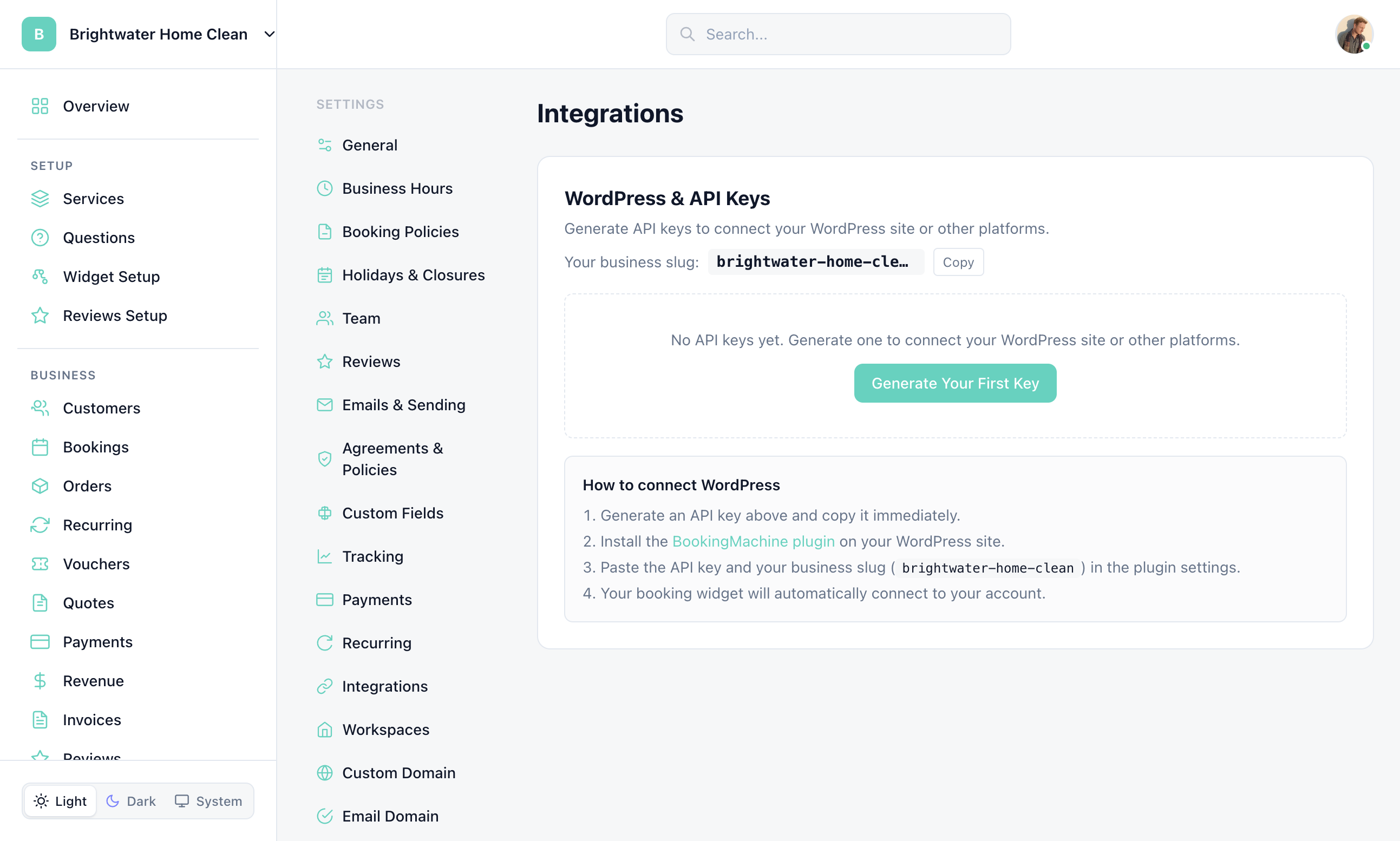
Open Settings > Integrations to generate a WordPress API key and copy your business slug. Google Calendar is also on this page when Google has enabled calendar access for your account.
Quick Method: Custom HTML Block
The simplest way to embed the widget on WordPress — no plugin required. In the WordPress editor, add a Custom HTML block and paste the embed code:
<script src="https://bookingmachine.io/embed.js" data-business="your-business-slug" async></script>WordPress Plugin
For a more integrated experience, the BookingMachine WordPress plugin adds Gutenberg blocks and shortcodes:
Install the plugin
Download from the WordPress plugin directory or upload the ZIP file via Plugins > Add New.
Activate
Activate the plugin from your WordPress admin panel.
Add blocks
In the editor, search for "BookingMachine" in the block inserter.
Gutenberg Blocks
The plugin provides three Gutenberg blocks:
| Block | Description |
|---|---|
| Booking Widget | Full booking flow — service selection, quote, scheduling, and payment |
| Reviews Widget | Display verified customer reviews with star ratings |
| Floating Button | Site-wide "Book Now" button that opens the widget in a panel |
Shortcodes
For the classic editor or page builders, use shortcodes:
[bookingmachine business="your-business-slug"]
[bookingmachine_reviews business="your-business-slug"]
Shortcode attributes support per-instance overrides for business slug and display options.
Page Builder Compatibility
The embed code works with all major WordPress page builders:
| Page Builder | How to Add |
|---|---|
| Elementor | Use the HTML widget, paste the embed script |
| Divi | Use the Code module, paste the embed script |
| Beaver Builder | Use the HTML module, paste the embed script |
| WPBakery | Use the Raw HTML element, paste the embed script |
Still have questions? Contact support