Help Center
Getting Started
Core Features
Payments & Analytics
Settings
Team & Scheduling
Integrations
Core Features
Selling by the Night and by the Hour
Sell a service by appointment, by the hour or by the night.
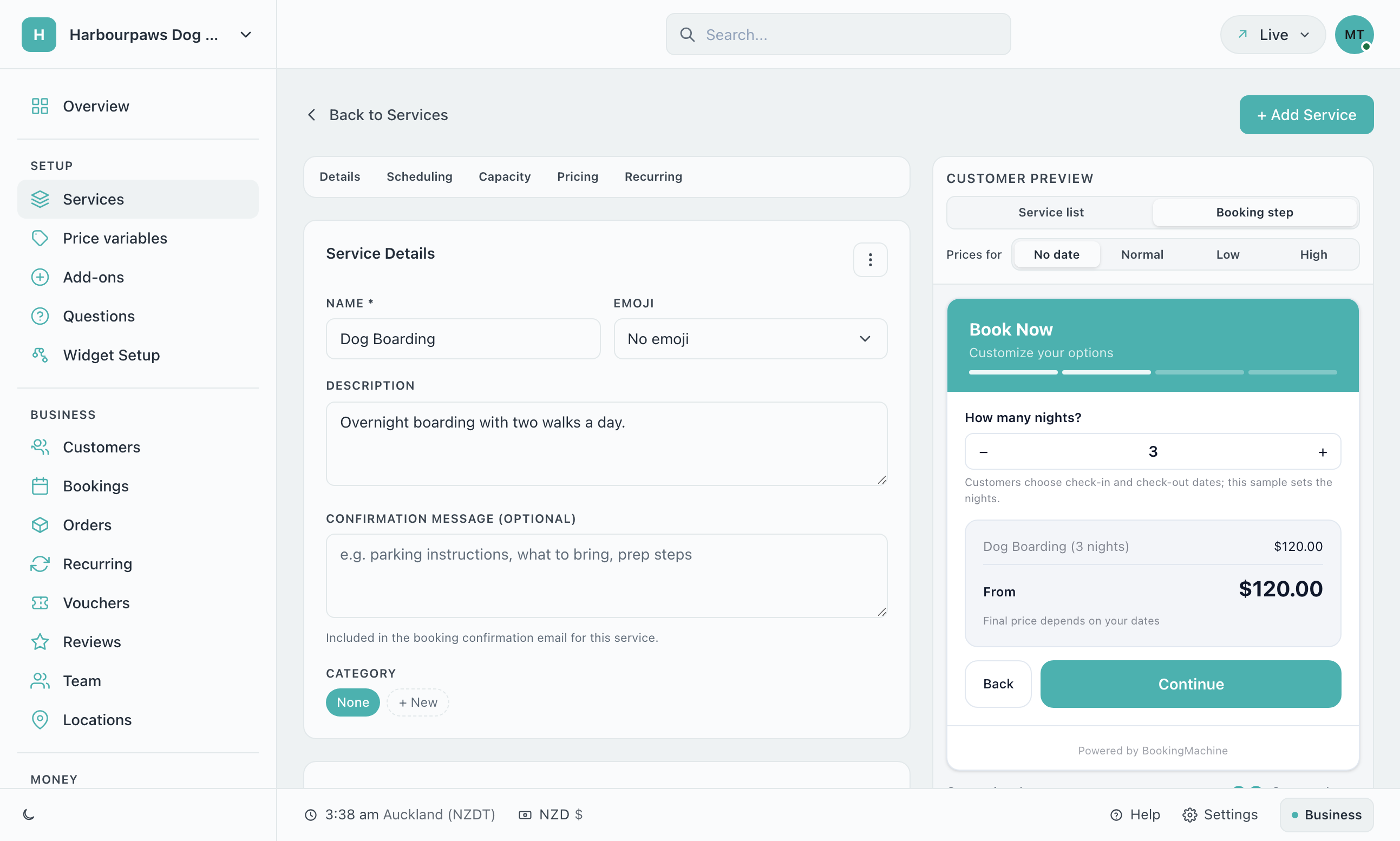
Open Services, choose a service, and go to Scheduling. Under How is this sold? every service is sold one of three ways.
| How it is sold | The customer picks | Priced by | Typical use |
|---|---|---|---|
| By appointment | A date and a start time | The service price | Haircut, clean, detail |
| By the hour | A date, how many hours, and a start time | Price × hours | Daycare, studio hire, tuition |
| By the night | A check-in date and a check-out date | Price × nights | Boarding, holiday lets |
Choose how the service is sold before you set its price. The price field is then labelled Price per night or Price per hour to match.
Selling by the night
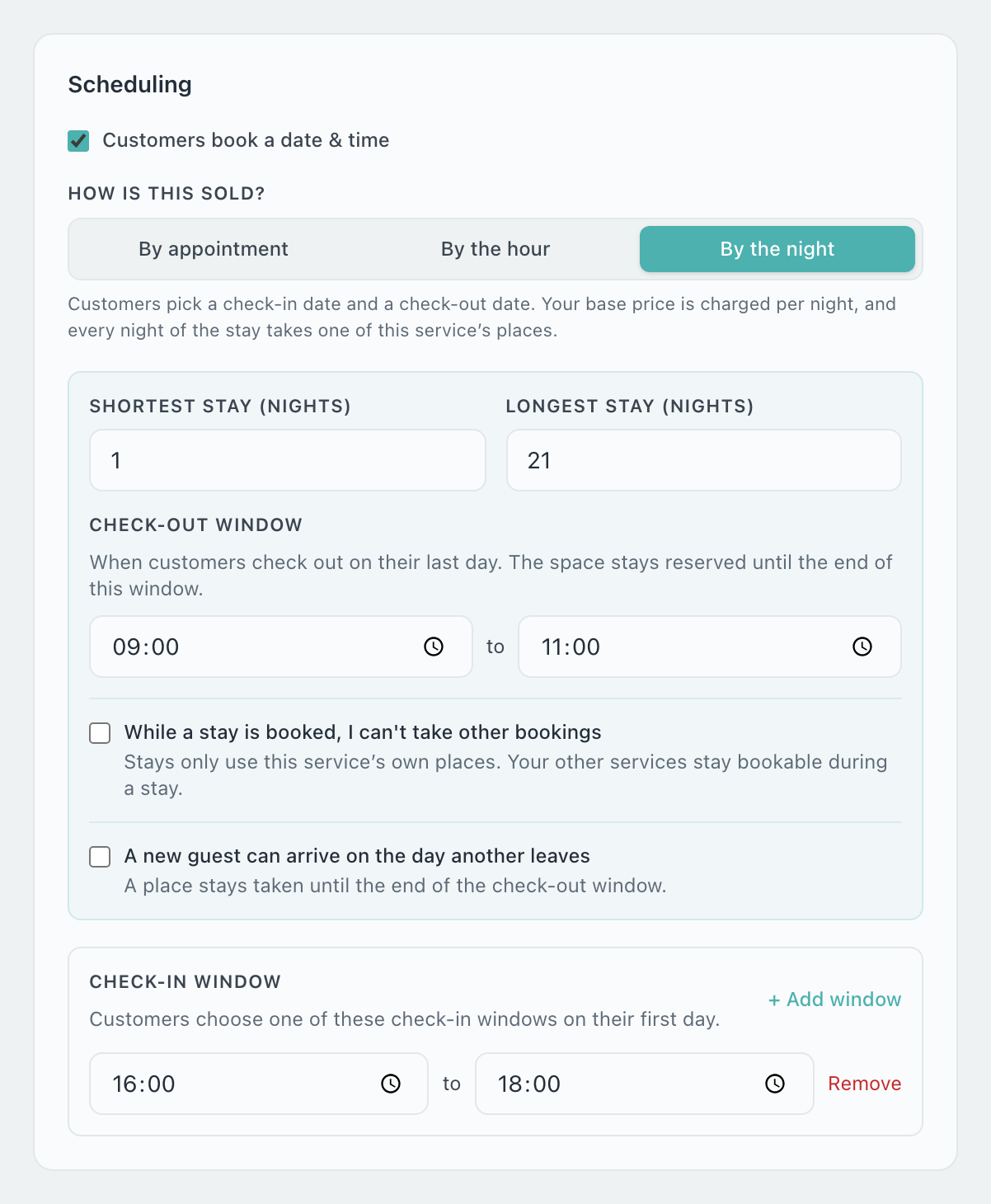
Shortest stay (nights) — the least a customer can book. Leave it at 1 for no minimum.
Longest stay (nights) — leave it empty and the only limit is how far ahead you take bookings.
Check-out window — when customers collect on their last day. The place stays reserved until the end of this window.
Check-in window — when customers may drop off. It is off to begin with, which means any time you are open. Click + Add window to set the hours.
What the customer sees
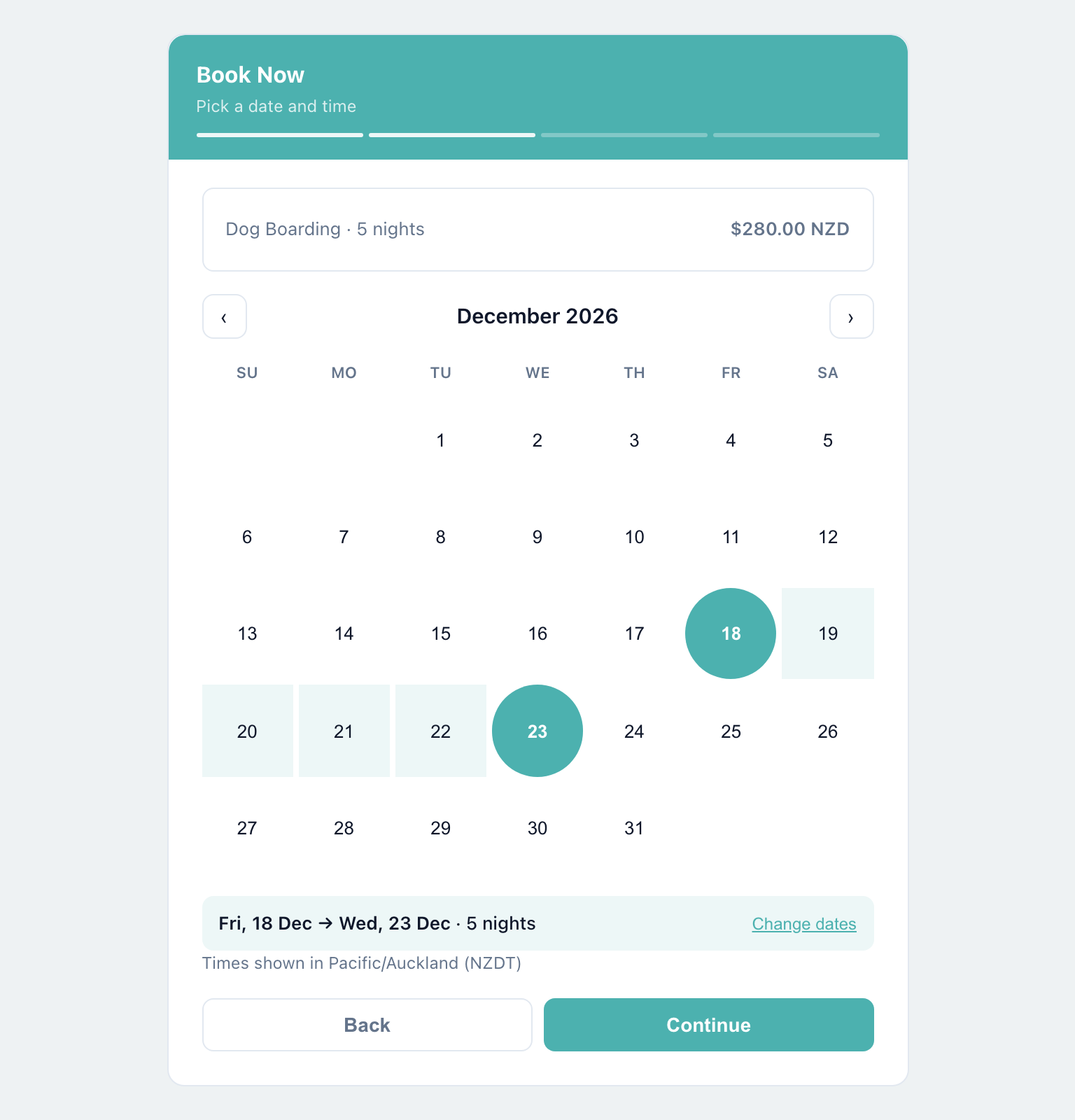
The calendar lets them pick a range. They choose a check-in date, then a check-out date, and the nights between are highlighted. The price is worked out as soon as the second date is chosen.
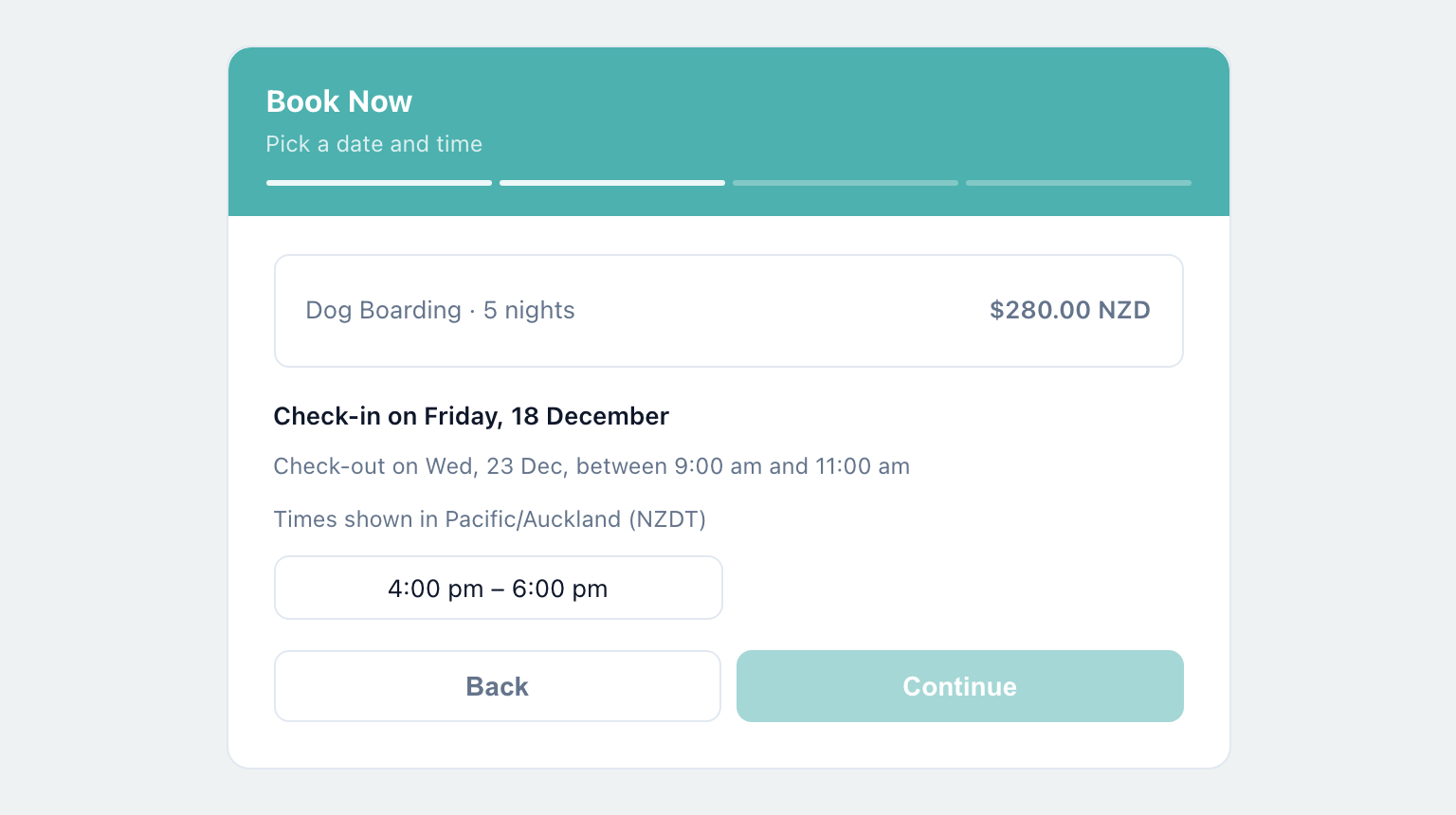
They then pick a drop-off time, and the summary repeats the check-in time and the check-out window.
Does a stay block your other services?
That is your choice, made on each service with the switch While a stay is booked, I can’t take other bookings. It is off for a new service.
Off — a stay only uses that service’s own places. Your other services stay bookable while it lasts, so a groomer can still take appointments during a week of boarding.
On — a stay takes you, or the team member it is assigned to, off the calendar for your other services until check-out. Choose this when a stay really does occupy you: a house sit, or a single rental you cannot also hire out by the hour.
Services with a capacity above 1, or in a shared capacity pool, are always counted on their own and are not affected by the switch.
Things worth knowing
A service sold by the night cannot also be recurring. Choosing By the night turns recurring off.
A stay ends at the end of your check-out window. With a window of 09:00 to 11:00, a stay ending on Friday finishes at 11:00.
Buffer time does not apply to stays.
Selling by the hour
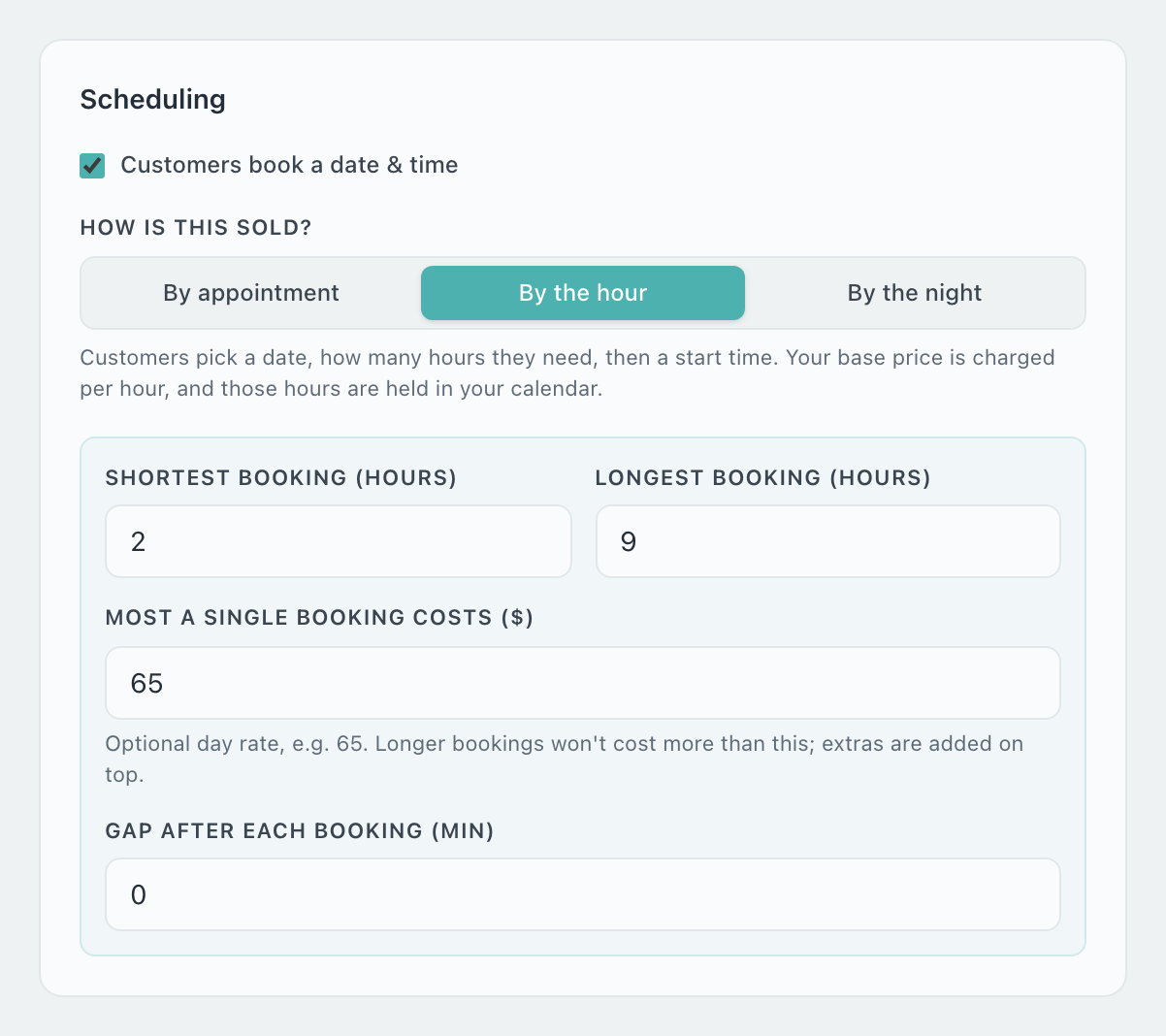
Shortest booking (hours) and Longest booking (hours) — the range a customer can pick from. Leave the longest empty and your opening hours are the limit.
Most a single booking costs — an optional day rate. Longer bookings will not cost more than this; add-ons are added on top.
Gap after each booking (min) — time kept free after each booking, so that one does not run straight into the next.
What the customer sees
Above the calendar they are asked How many hours?, with your shortest and longest shown underneath. The price updates as they change it.
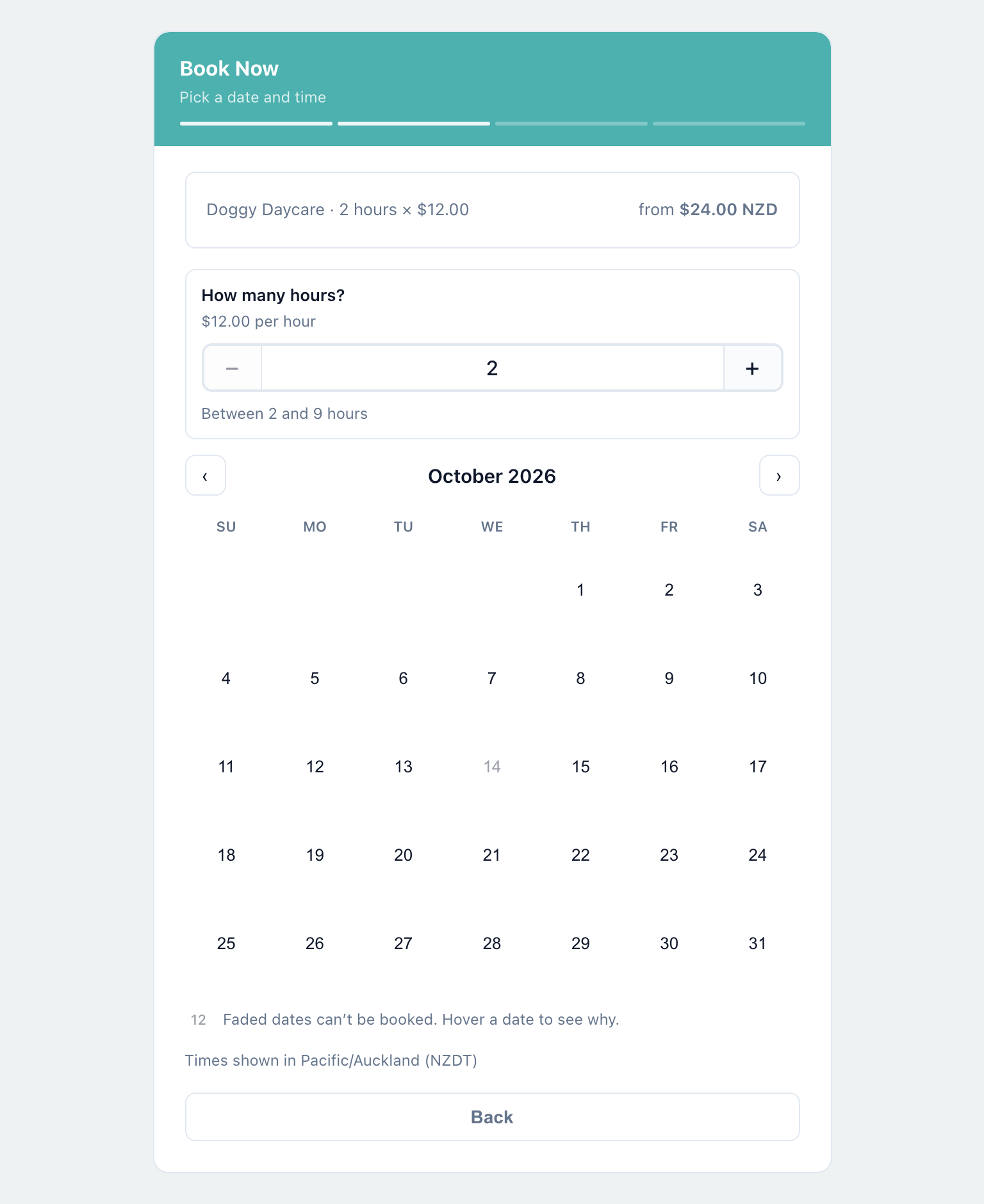
Once they pick a date, the start times on offer are only those where the whole booking fits before you close. Four hours at a business that closes at 18:00 can start no later than 14:00.
Running boarding and daycare side by side
You can sell services in different ways on one booking page. A kennel might sell Dog Boarding by the night and Doggy Daycare by the hour, and each is booked in its own way.
Whether a boarding stay closes the daycare calendar for the nights it covers is decided by the switch on the boarding service. With it off, daycare stays bookable during a stay and each service fills to its own capacity. With it on, daycare shows no times until the stay checks out.
Can I charge a different rate for weekends or holidays?
For holidays and busy times of year, use Seasonal Pricing: set the dates in Settings > Seasonal Pricing and give the service a high-season price. A stay is then priced night by night. For anything the customer chooses, such as a weekend visit, add a price variable.
Does the customer choose the check-out time?
No. You set the check-out window and the customer is shown it. Only the check-in time is theirs to pick.
What happens if someone tries to book fewer nights than my shortest stay?
The calendar will not let them choose those dates, and the booking is refused if it is sent anyway.
Can I take a deposit on a stay?
Yes, as for any booking. Set a deposit percentage on the widget, or take payment in full. This needs Stripe connected.
Still have questions? Contact support