Help Center
Getting Started
Core Features
Payments & Analytics
Settings
Team & Scheduling
Integrations
White-Label
Settings
Business Hours
Set weekly opening hours, 24/7 days, and hide hours for order-only businesses.
Open Settings > Business Hours to set the weekly hours customers can book. These hours repeat every week.
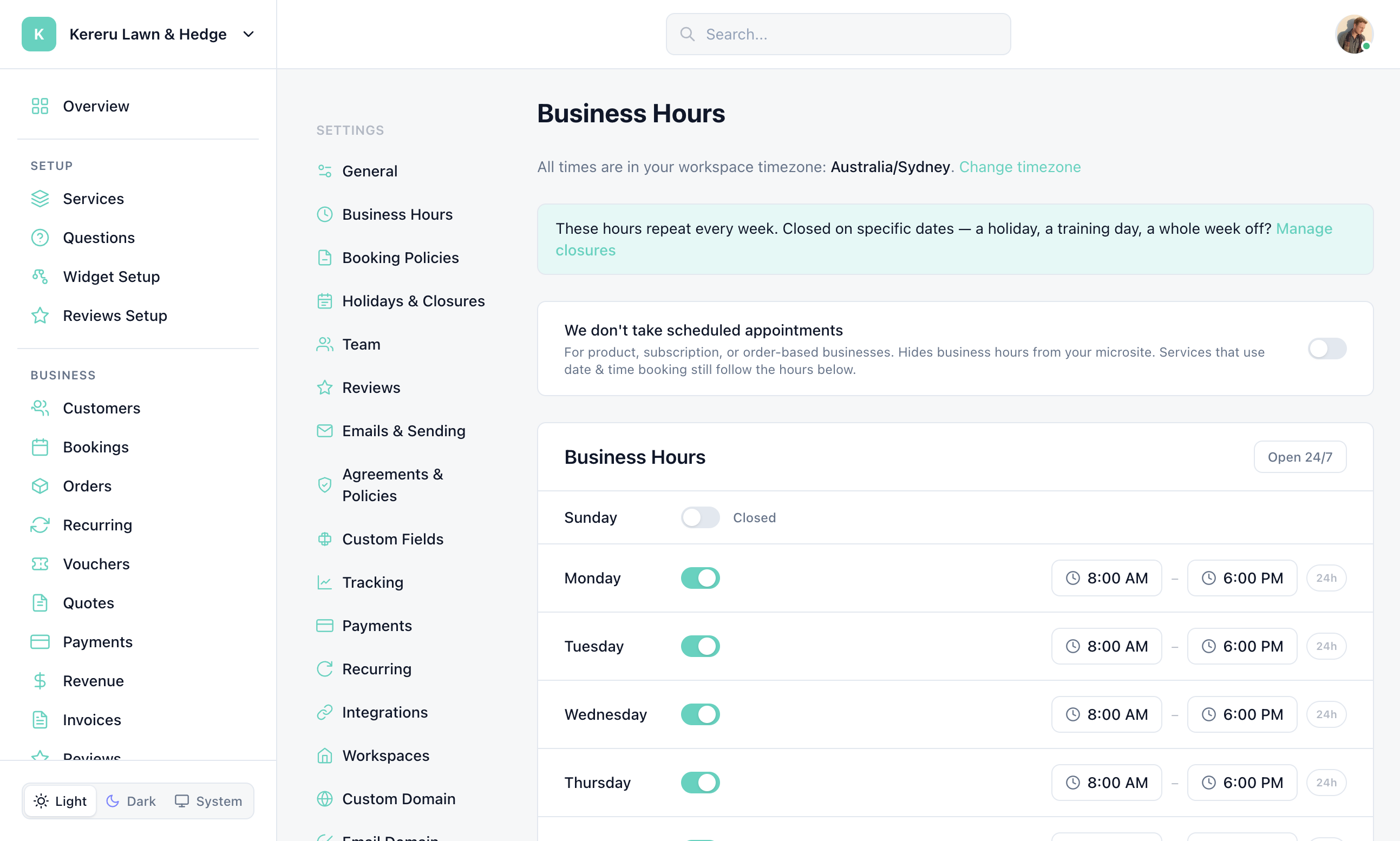
Open Business Hours
Go to Settings > Business Hours from the dashboard sidebar.
Check your timezone
The page shows “All times are in your workspace timezone”. Click Change timezone to edit it on Settings > General.
Set each day
Use the switch next to Sunday–Saturday. Off shows Closed. On shows open and close times (for example 8:00 AM – 6:00 PM).
Optional: 24h or Open 24/7
Click 24h on a day to set that day to Open 24 hours. Click Open 24/7 to set every day to 24 hours and save immediately.
Click Save Hours
Changes are not kept until you click Save Hours (except Open 24/7, which saves as soon as you click it).
We don’t take scheduled appointments
Turn on We don’t take scheduled appointments for product, subscription, or order-based businesses. That hides business hours from your microsite. Services that still use date & time booking follow the hours grid.
When the toggle is on, the grid is replaced with “Business hours are hidden”. Your saved hours are kept — turn the toggle off to edit them again.
Locations, closures, and arrival windows
Locations — If you have locations, a banner says these are default hours and links to Manage locations. Set location-specific hours on each location.
Closures — Hours repeat every week. For a holiday, training day, or a week off, click Manage closures.
Arrival windows — If a service uses its own arrival windows, a teal notice lists those services. Hours below still bound them: a window outside opening hours is not offered.
Do these hours affect orders that have no date and time?
Order-only services do not use the weekly grid for slot picking. The “We don’t take scheduled appointments” toggle hides hours on your microsite. Any service that still books a date and time follows the hours below.
Where do I change timezone?
Settings > General. The Business Hours page always displays times in that workspace timezone.
Still have questions? Contact support