Help Center
Getting Started
Core Features
Payments & Analytics
Settings
Team & Scheduling
Integrations
White-Label
Setup
Custom Questions
Questions customers answer in the widget — not the same as CRM custom fields.
Open Questions in the Setup section of the sidebar (the page title is Custom Questions). These appear in the booking widget. They are not the same as Custom Fields, which live on the customer record in the CRM.
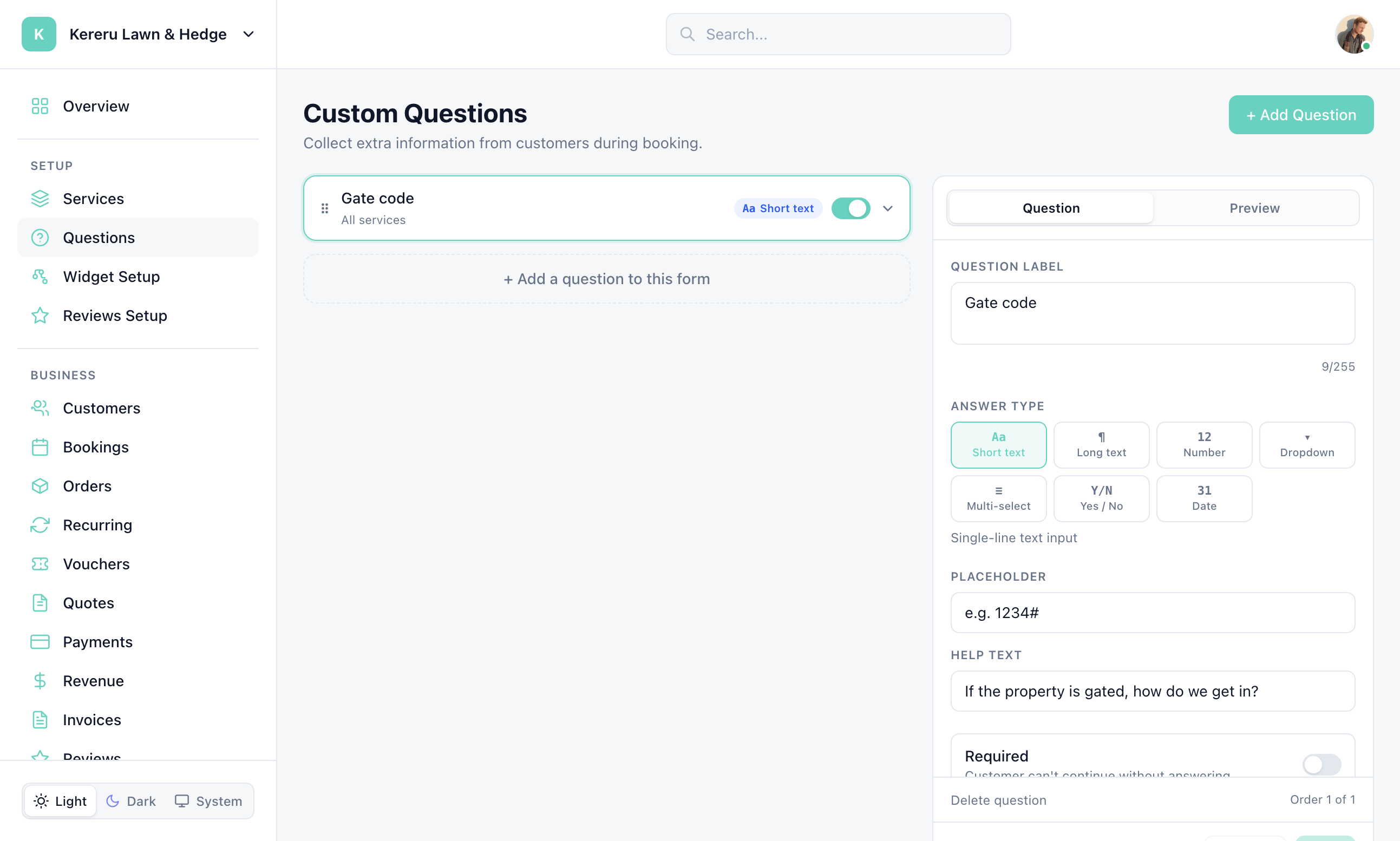
Open Questions
Click Questions in the Setup section of the sidebar.
Click + Add Question
Use + Add Question in the header, or + Add a question to this form on the dashed row.
Choose a type
Short text, Long text, Number, Dropdown, Multi-select, Yes / No, or Date. For Dropdown and Multi-select, click + Add option.
Target services
Assign the question to all services or only selected ones. Mark it required if the customer must answer.
Save
Save the list. A success message reads “Questions saved successfully”.
Still have questions? Contact support