Help Center
Getting Started
Core Features
Payments & Analytics
Settings
Team & Scheduling
Integrations
White-Label
Bookings & Customers
Orders
Track purchases that have no appointment time — including subscriptions.
Open Orders in the Business section. Orders are services or products sold without a time slot. Appointments stay in Bookings.
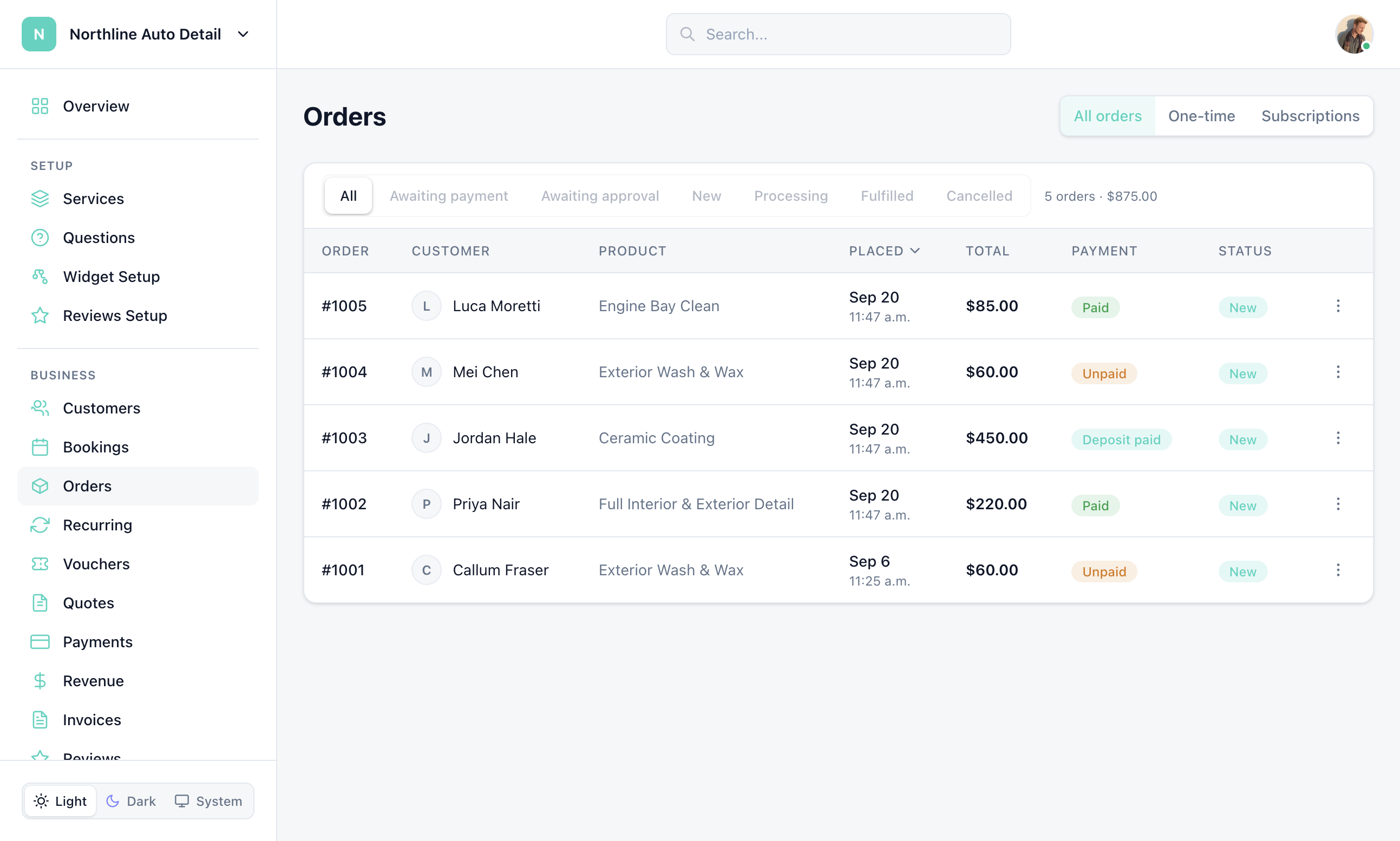
If you have no orders yet, the page shows an onboarding empty state. After the first order, you get filters for one-time vs subscriptions and status tabs. Empty filtered results say: “No orders found. Orders placed through an order-mode widget will appear here.”
Sell without a time slot
On Widget Setup, set the widget type to Order, and turn scheduling off on those services.
Open Orders
Click Orders in the sidebar after customers start placing orders.
Filter and open a row
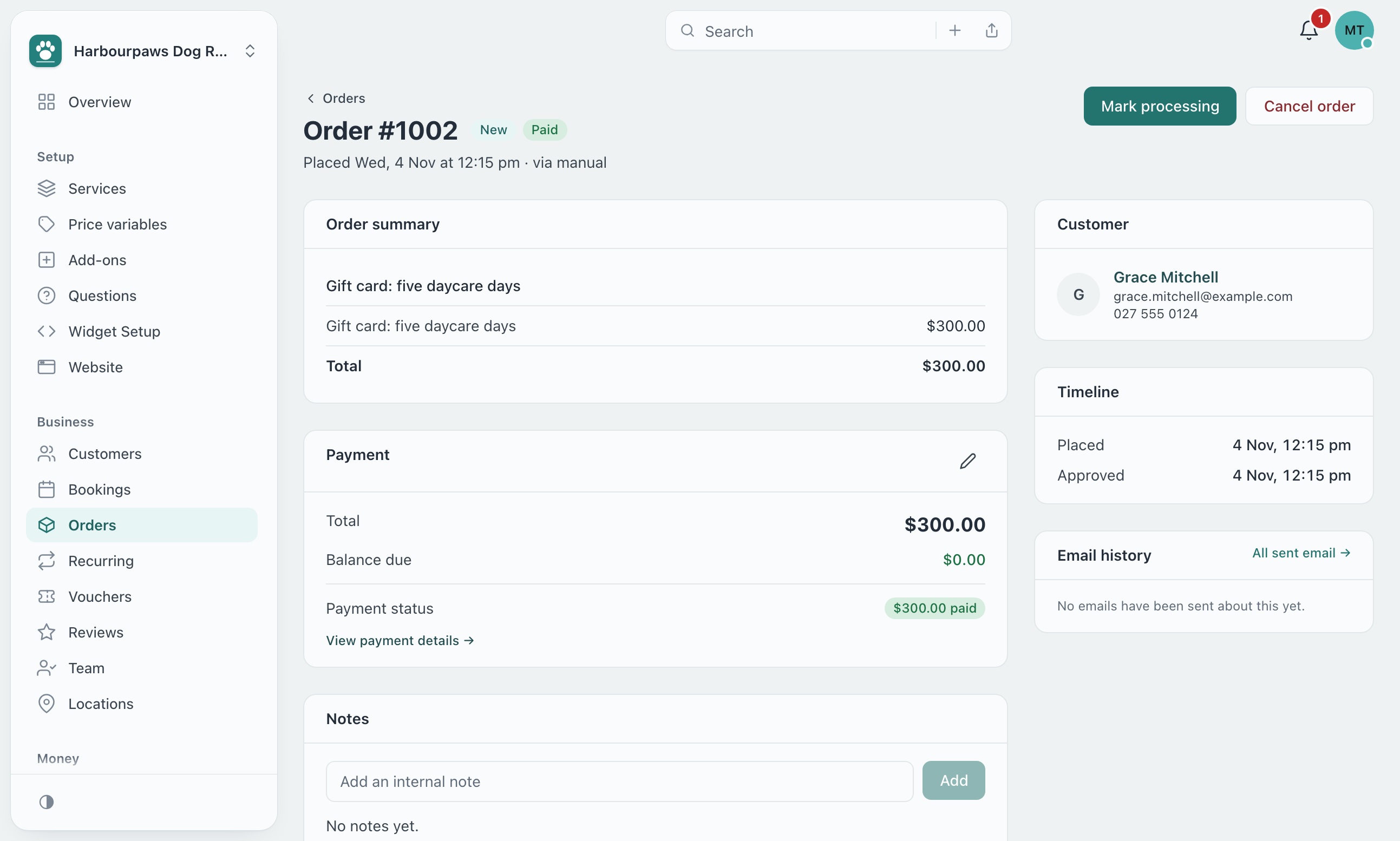
Use the one-time / subscriptions control and status tabs, then open an order to update it.
An order’s detail page has an Email history card listing every email sent about it. Click one to see the message exactly as it went out; “All sent email” opens Email Activity searched for that customer.
Still have questions? Contact support