
BookingMachine
Help Center
Getting Started
Core Features
Payments & Analytics
Team & Scheduling
Integrations
Core Features
Booking Policies
Configure deposits, cancellation rules, no-show fees, tips, and booking windows.
Configure all booking policies at Dashboard > Settings > Policies.
Deposits
Set the deposit percentage collected at booking time. Options range from 0% (no deposit) to 100% (full prepayment). Deposits require Stripe to be connected. The remaining balance is collected after service completion.
Deposit vs Full Payment
A 100% deposit means the customer pays the full amount upfront. A 25-50% deposit secures the booking while leaving the balance for later collection. Choose based on your industry norms and no-show risk.
Cancellation Policy
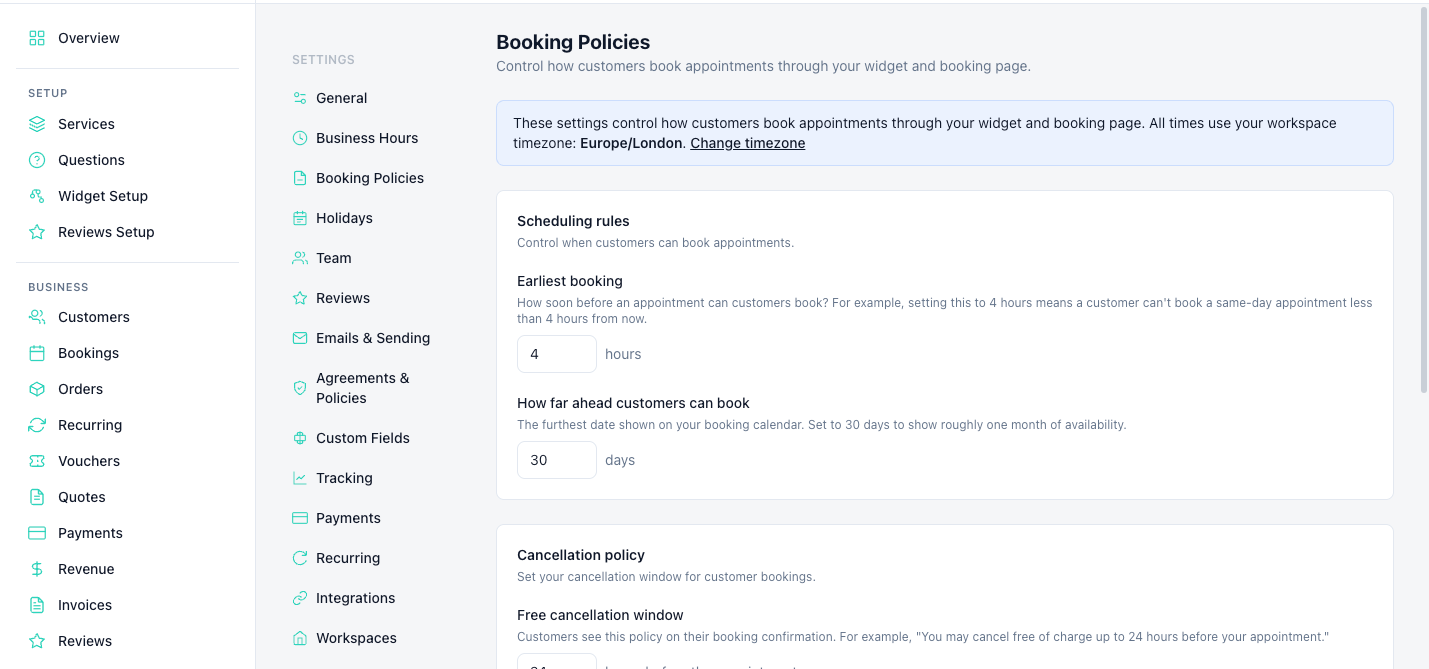
Set a cancellation window (e.g. 24 or 48 hours before the appointment). Cancellations within the window can incur a fee. The policy is shown to customers at booking time.
Free cancellation period — How many hours before the appointment customers can cancel for free
Late cancellation fee — Percentage of the service price charged for late cancellations
No-Show Fees
Set a no-show fee as a percentage of the service price. When you mark a booking as "No-Show", the customer's card is charged the no-show fee (if they paid with a card). This reduces no-shows.
Tips
Enable the tip option in the booking flow. Customers can add a tip at checkout with configurable suggested amounts (e.g. 15%, 20%, 25%). Tips go 100% to the business — no platform fee is taken on tips.
Advance Booking Window
Control when customers can book:
Maximum advance — How far ahead customers can book (e.g. 1-90 days out)
Minimum notice — How much advance notice is required (e.g. 2 hours, 24 hours, no same-day)
Still have questions? Contact support