Help Center
Getting Started
Core Features
Payments & Analytics
Settings
Team & Scheduling
Integrations
White-Label
Settings
Activity Log
A timeline of bookings, payments, team changes, and other key actions.
Open Activity in the Admin section of the sidebar. The page title is Activity Log.
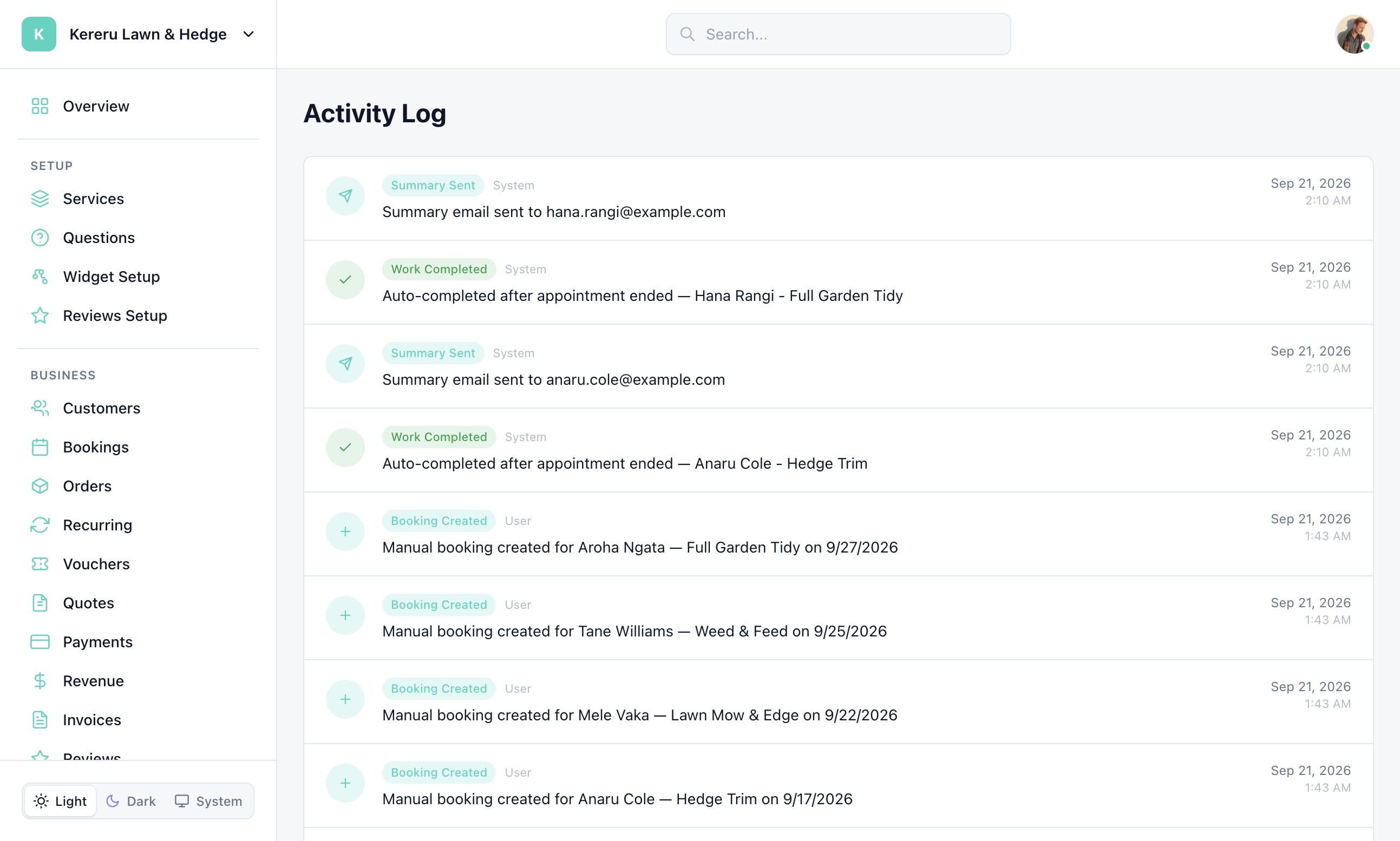
Each row is a past action for this workspace — bookings, quotes, payments, team changes, and similar events. Use it when you need to see who did what, not as a live notifications inbox.
Rows about an email (reminder sent, summary sent, review request sent, invoice sent) have a View email button that opens the message exactly as it went out. The “Sent emails” link at the top opens the full list in Email Activity.
Notification delivery (which emails go out) is configured in Emails & Sending and in notification preferences from the user menu.
Still have questions? Contact support