
BookingMachine
Help Center
Getting Started
Core Features
Payments & Analytics
Team & Scheduling
Integrations
Team & Scheduling
Auto-Assignment
Automatically assign bookings to the right team member based on configurable rules.
Auto-assignment is available on Business plans. Configure at Dashboard > Settings > Team.
Assignment Modes
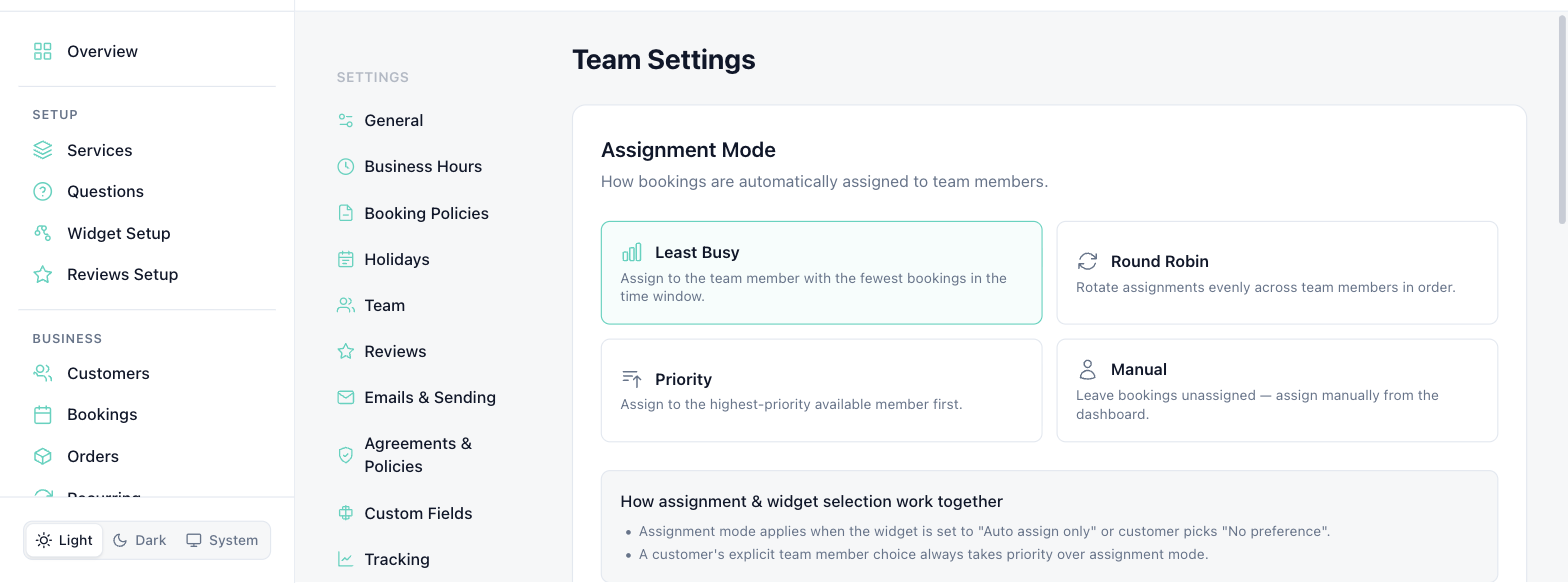
BookingMachine supports four assignment modes:
| Mode | How It Works |
|---|---|
| Least Busy (default) | Assigns to the team member with the fewest bookings in a 7-day window who is free for the slot |
| Round Robin | Cycles through team members in sort order, picking the next one after the last assigned |
| Priority | Assigns to the highest-priority available member (based on sort order) |
| Manual | No auto-assignment. You assign every booking yourself from the booking detail page |
How It Works
When a new booking comes in, the system:
Loads all active team members who are available for the time slot
Filters by service specialty (if specialties are configured)
Applies the selected assignment mode to pick the best member
Assigns the booking and notifies the team member via email
Widget Staff Selection
On Business plans with hasCustomerStaffChoice enabled, customers can optionally choose their preferred team member during booking.
Manual Override
Regardless of the assignment mode, you can always manually reassign a booking to a different team member from the booking detail page.
Changing the Mode
Go to Dashboard > Settings > Team and select your preferred assignment mode. The change takes effect immediately for all new bookings.
Still have questions? Contact support