Help Center
Getting Started
Core Features
Payments & Analytics
Settings
Team & Scheduling
Integrations
White-Label
Settings
General Settings
Business name, email, phone, timezone, currency, locale, logo, and brand colors.
Open Settings > General to edit how your business appears on quotes, invoices, emails, and your booking page.
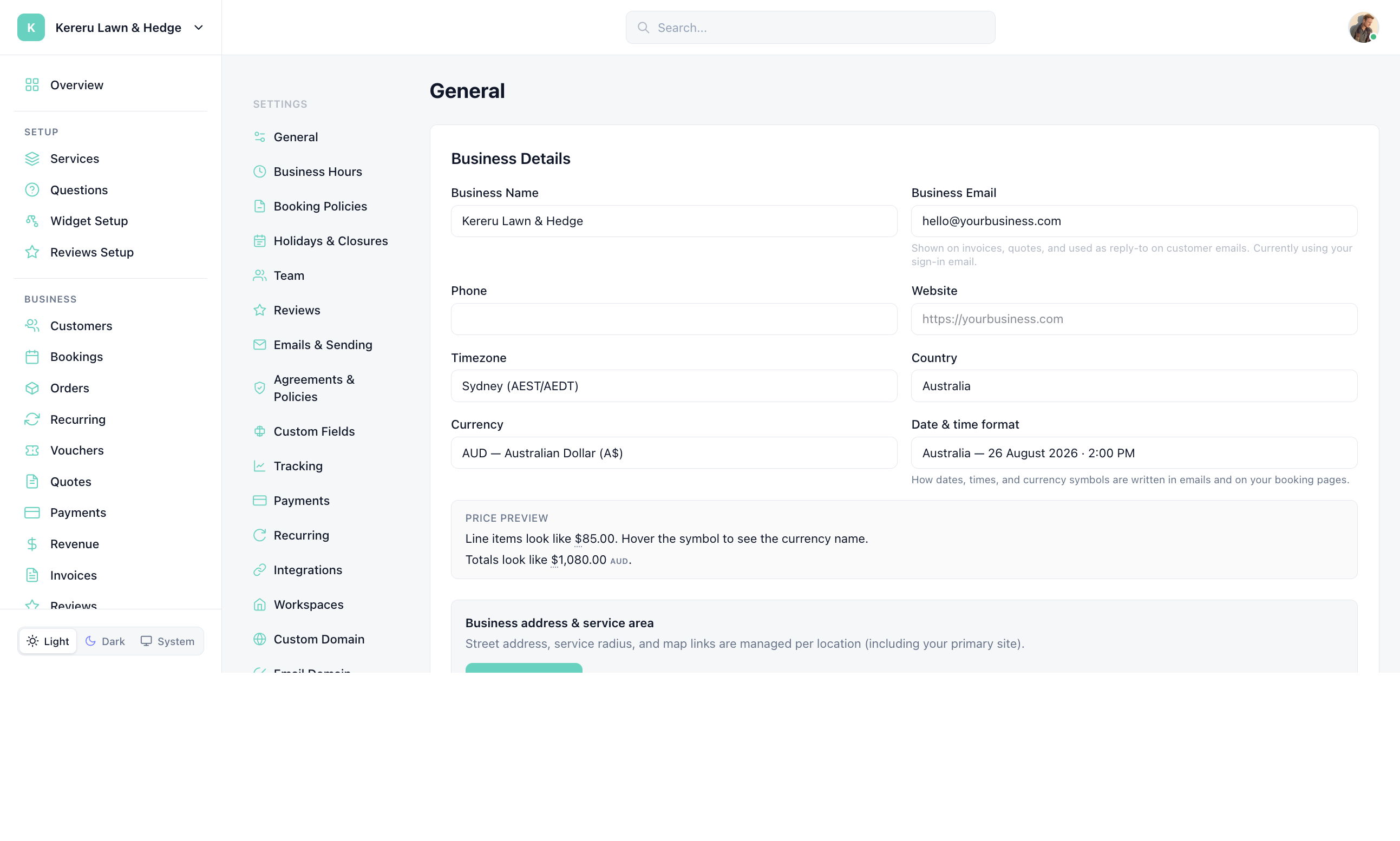
Open General
Go to Settings > General.
Edit Business Details
Update Business Name, Business Email, Phone, and Website. Email is shown on invoices and quotes and used as reply-to on customer emails.
Set Timezone, Currency, Locale, and Country
Timezone drives hours, closures, and booking times. Locale affects how dates and currency look to customers. Country is used with your address.
Upload a logo and pick colors
Logo and primary/accent colors appear on quotes, invoices, emails, and the booking page.
Click Save Changes
The button at the bottom of the page is Save Changes.
Still have questions? Contact support