BookingMachine
Help Center
Getting Started
Core Features
Payments & Analytics
Team & Scheduling
Integrations
Payments & Analytics
Document Settings
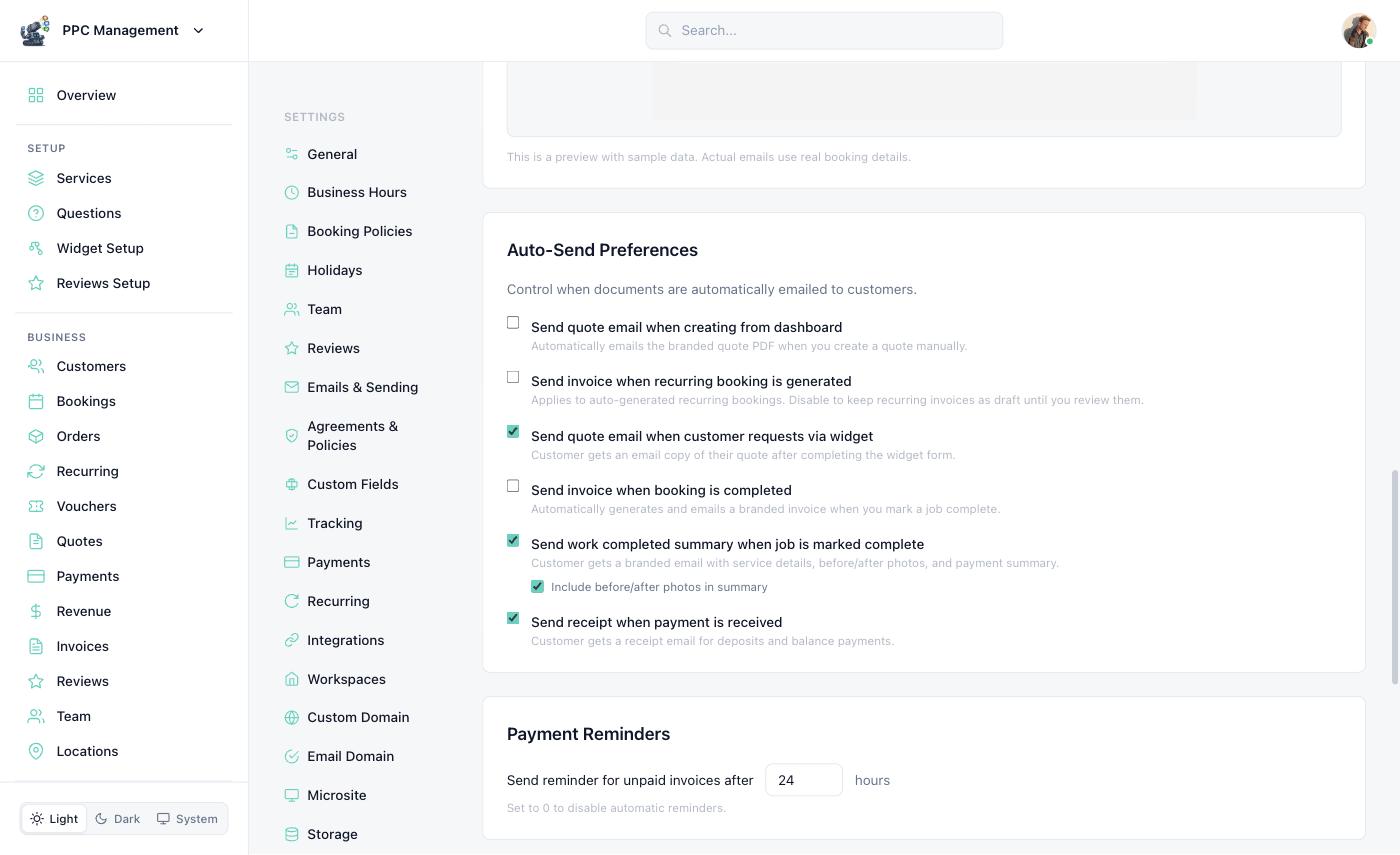
Configure auto-invoicing, payment reminders, branding, and numbering.
Configure document settings at Dashboard > Settings > Emails & Sending.
Auto-Send Invoices
Enable auto-invoicing to automatically generate and send an invoice when a booking is completed. Configure the timing:
Immediately after completion
1 hour after completion
24 hours after completion
Payment Reminders
Set up automatic payment reminders for unpaid invoices. Configure reminder intervals (e.g. 3 days, 7 days, 14 days after due date). Each reminder includes a direct payment link.
Template Branding
Customize your invoice and quote templates:
Business logo and brand colors
Footer text (terms, conditions, thank-you note)
Custom payment terms (available on Pro+)
Branding applies to both email templates and the online invoice/quote view.
Invoice Numbering
Invoices are automatically numbered sequentially. You can set a custom prefix (e.g. "INV-") and starting number in your document settings.
Payment Terms
Configure default payment terms for invoices:
| Term | Meaning |
|---|---|
| Due on Receipt | Payment expected immediately upon receiving the invoice |
| Net 15 | Payment due within 15 days |
| Net 30 | Payment due within 30 days |
| Net 60 | Payment due within 60 days |
| Custom | Set your own due date for each invoice |
Still have questions? Contact support