Help Center
Getting Started
Core Features
Payments & Analytics
Settings
Team & Scheduling
Integrations
White-Label
White-Label
Website Templates
Pick a look for your website, keep your content, switch any time.
A template is a whole look for your website — the layout of the home page, the palette, the fonts and a set of starter photos. Switching is one click and nothing you wrote is lost.
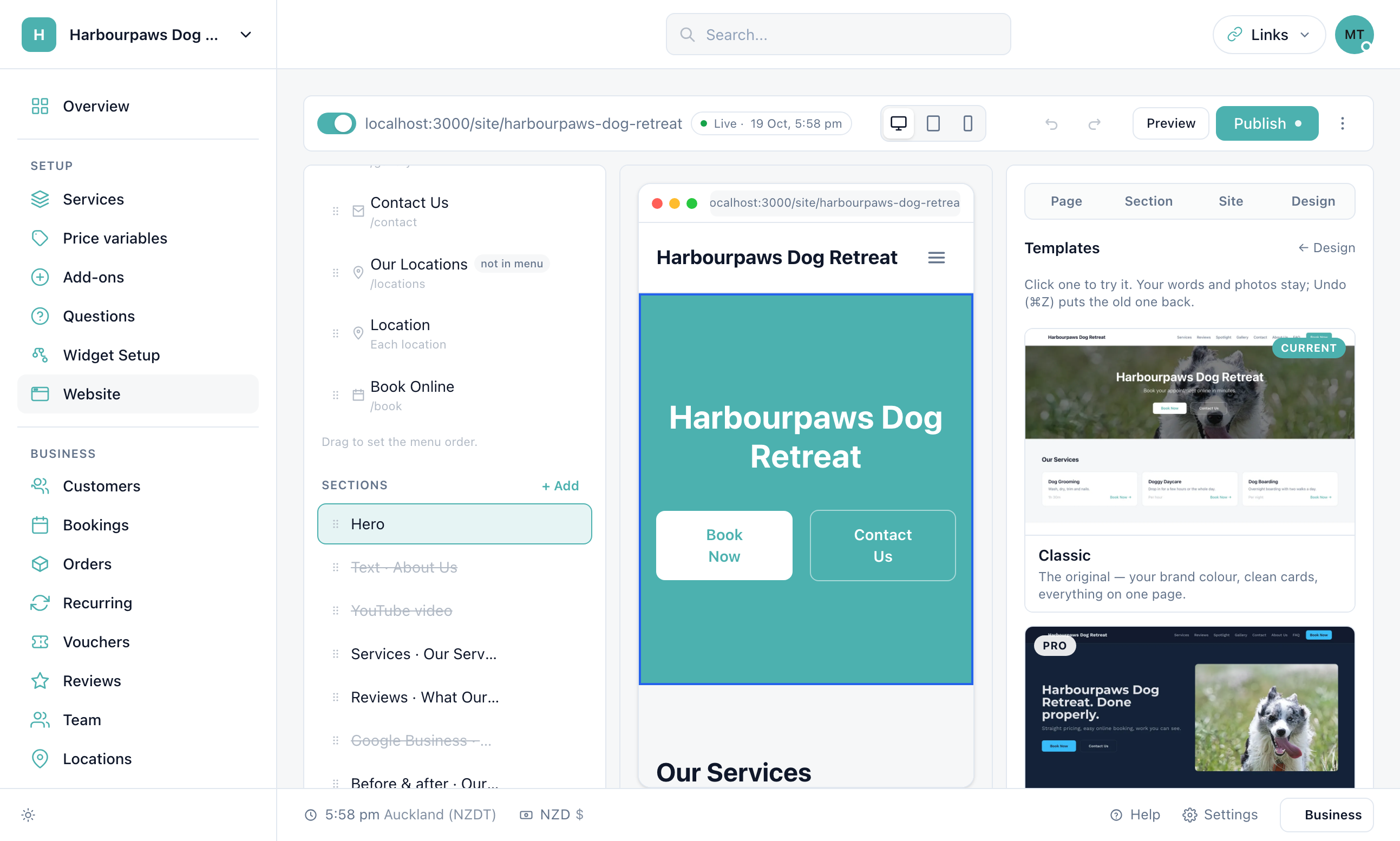
Choosing one
Open Design, then Change
The Templates panel lists every template as a real screenshot. Hover a card to see the phone version.
Click a template
It applies straight away in the preview. Your headlines, text and photos carry across by section; anything the new layout has no slot for is kept, hidden, so you can switch it back on.
Keep it or undo
Press Undo (⌘Z) to go back. Nothing reaches your live site until you Publish.
What a template changes
Layout — which sections the home page has and in what order. Your other pages keep their sections.
Palette — switch on Keep my colours to take the layout and fonts but stay with the colours you have.
Fonts, corners, spacing, buttons — all editable afterwards under Design.
Starter photos — empty image slots are filled from a photo set (car detailing, home cleaning, lawn and outdoor, pest control, pets, general trades). Choose a set, or None, under Starter photos. Your own uploads always win and are never replaced.
Starter pages
The first time a template is applied to a site that has no pages of its own, it adds About, FAQ, Areas we cover and Pricing — as many as your plan allows. About and FAQ go in the menu; the others wait, live but unlisted, until you switch them on under Page > Show in menu. The FAQ starts with questions people ask businesses like yours; edit or replace them.
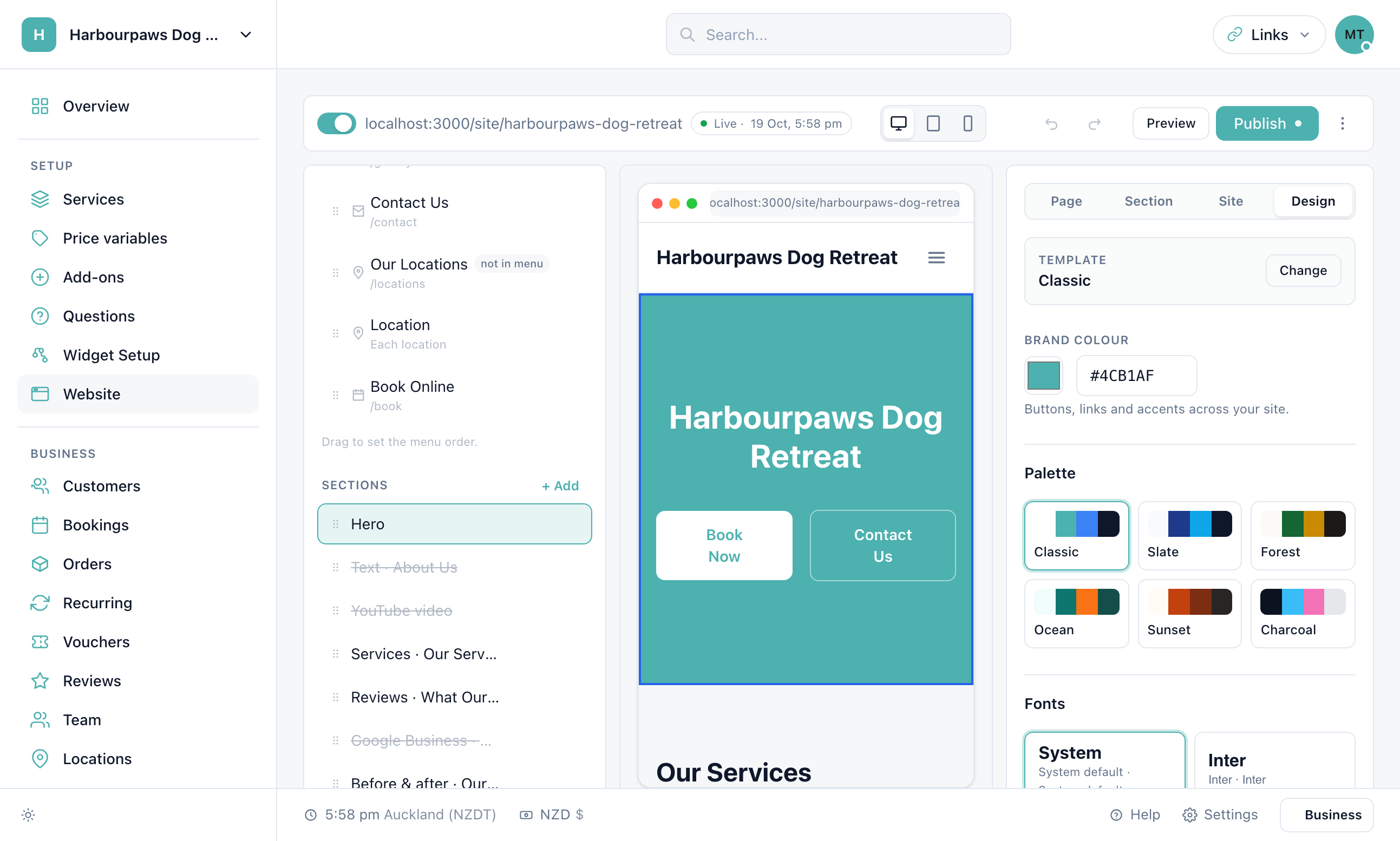
Plans
Classic — your brand colour on white — is included on every plan. Bold, Clean, Trade, Showcase and Warm, along with palettes, fonts and shape controls, come with Pro. A site that already uses a premium template keeps it if the plan changes; it just cannot switch to another one.
Will switching lose my photos or text?
No. Content carries across by section type. A section the new template does not use is kept, hidden, at the bottom of the page so it can be switched back on.
Can I start over with the template's own words?
Yes — switch on "Start over with the template's words" before clicking a template. It replaces the home page copy with the starter text; Undo brings yours back.
Where do the starter photos come from?
Free-to-use stock photography chosen for each trade. They need no credit and can stay on your site, but your own photos will always look better — replace them when you can.
Still have questions? Contact support