Pet Sitting Booking Software That Keeps Your Business Organized
Let pet parents browse your services, see prices by pet count and visit type, pay a deposit, and book — from your website, social media, or a free booking page.
Pet sitting booking software lets owners pick a visit, walk or overnight stay, see a per-visit, per-hour or per-night price, choose dates and pay a deposit from a link, with no account to create. BookingMachine handles recurring visits, pet details on the booking, deposits paid to your own Stripe account and review requests after every stay.
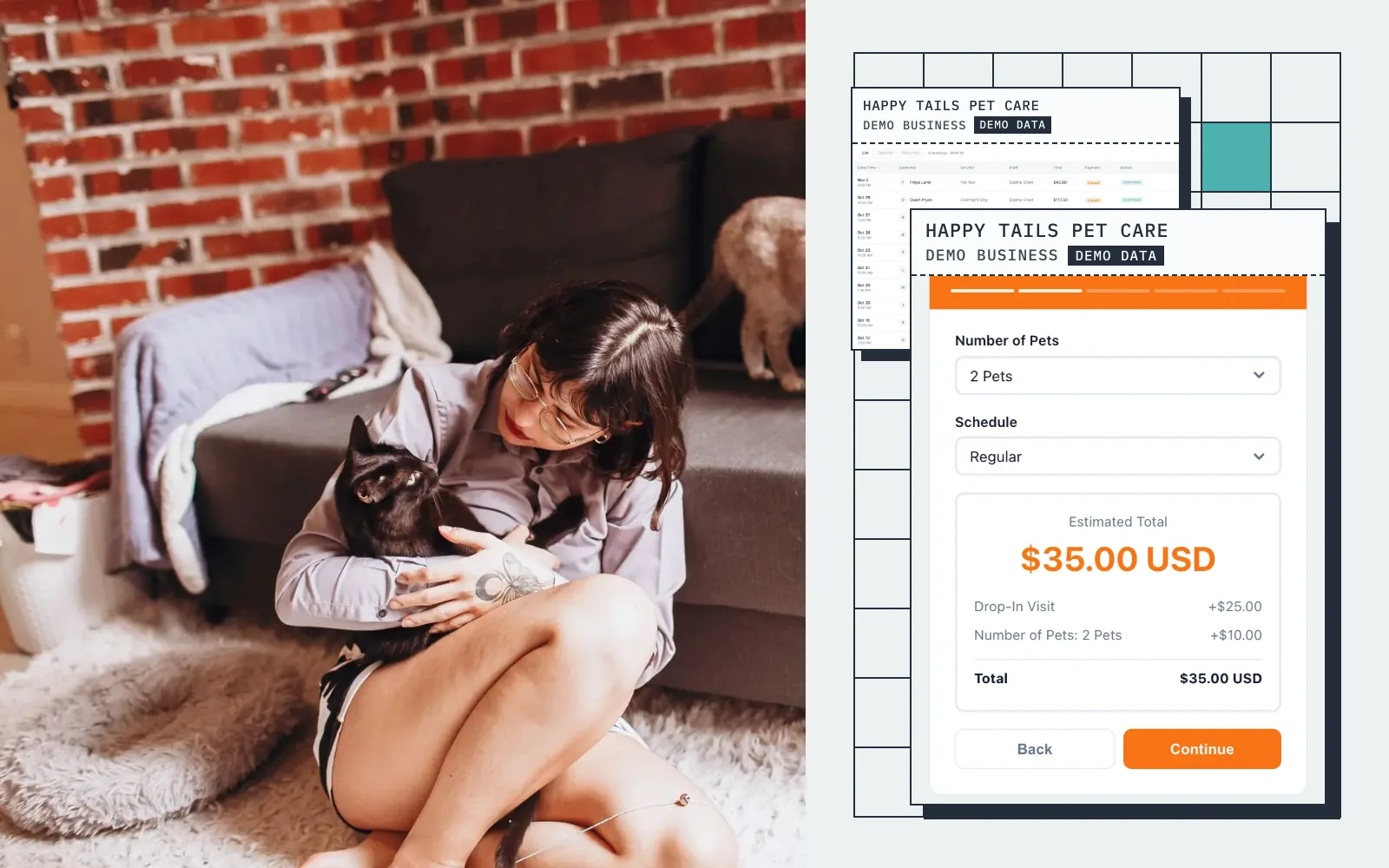
Live demo · Happy Tails Pet Care
Try the booking form
This is what your customers see: pick a service, get an instant quote, and book in seconds.
Screens
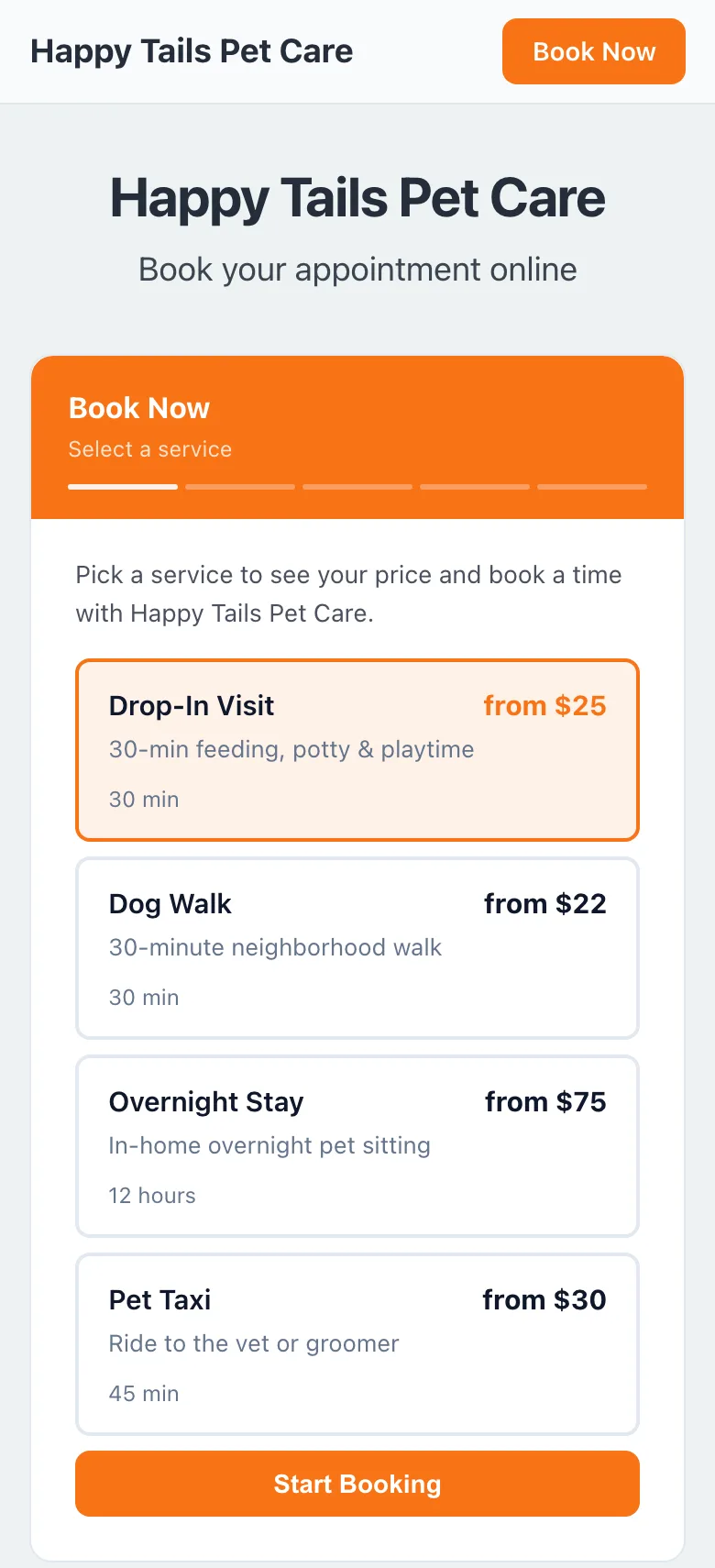
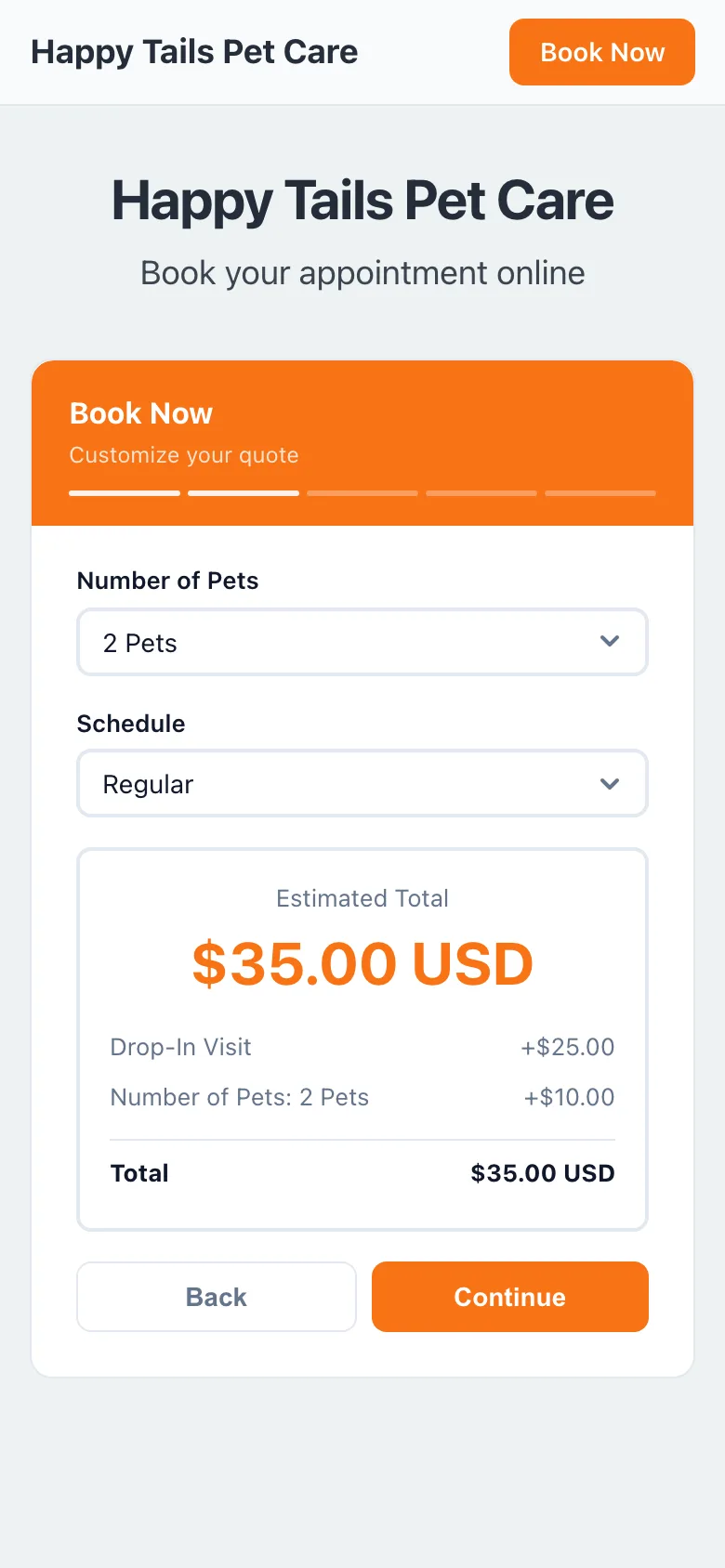
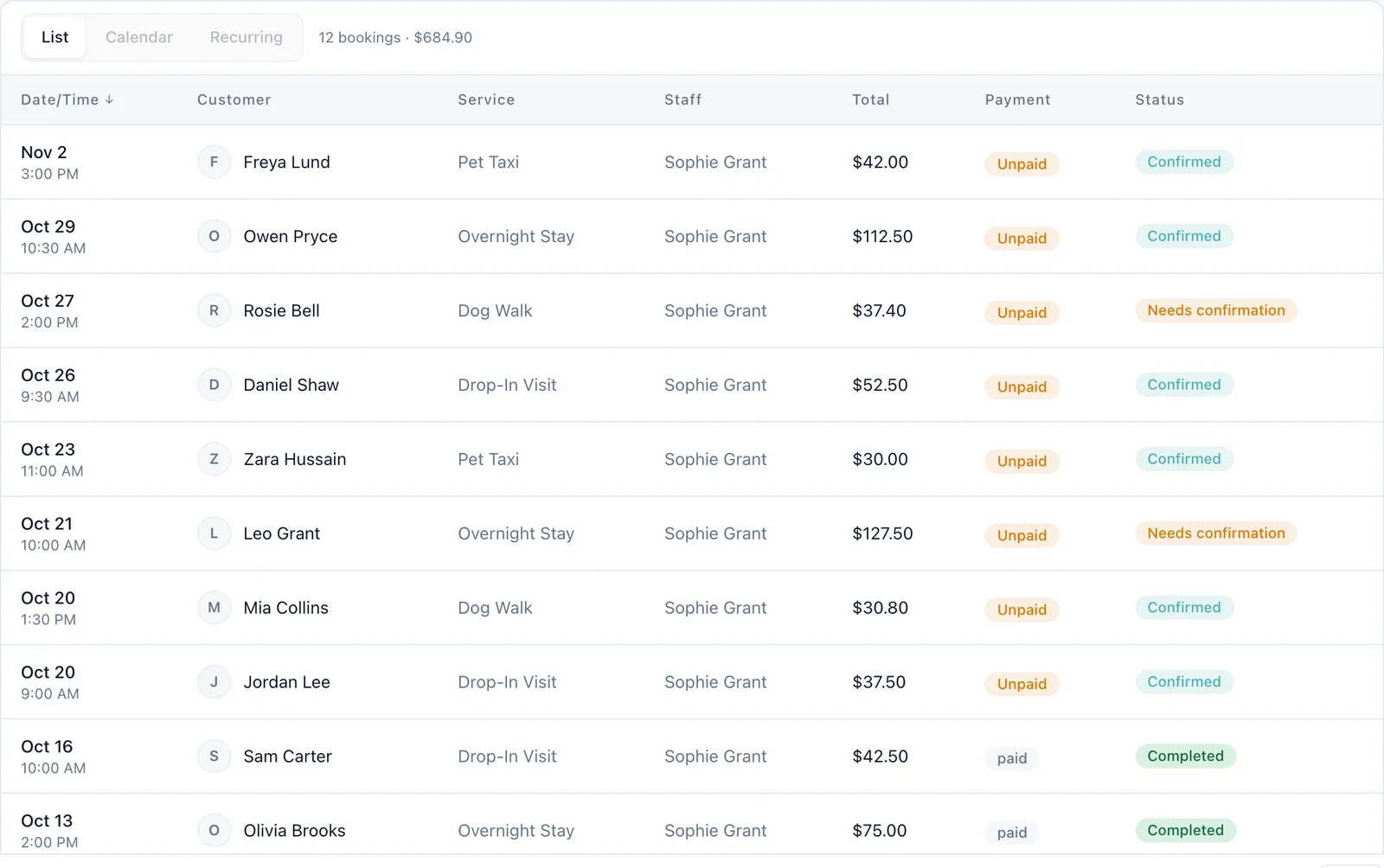
Real screens from a demo pet sitting business
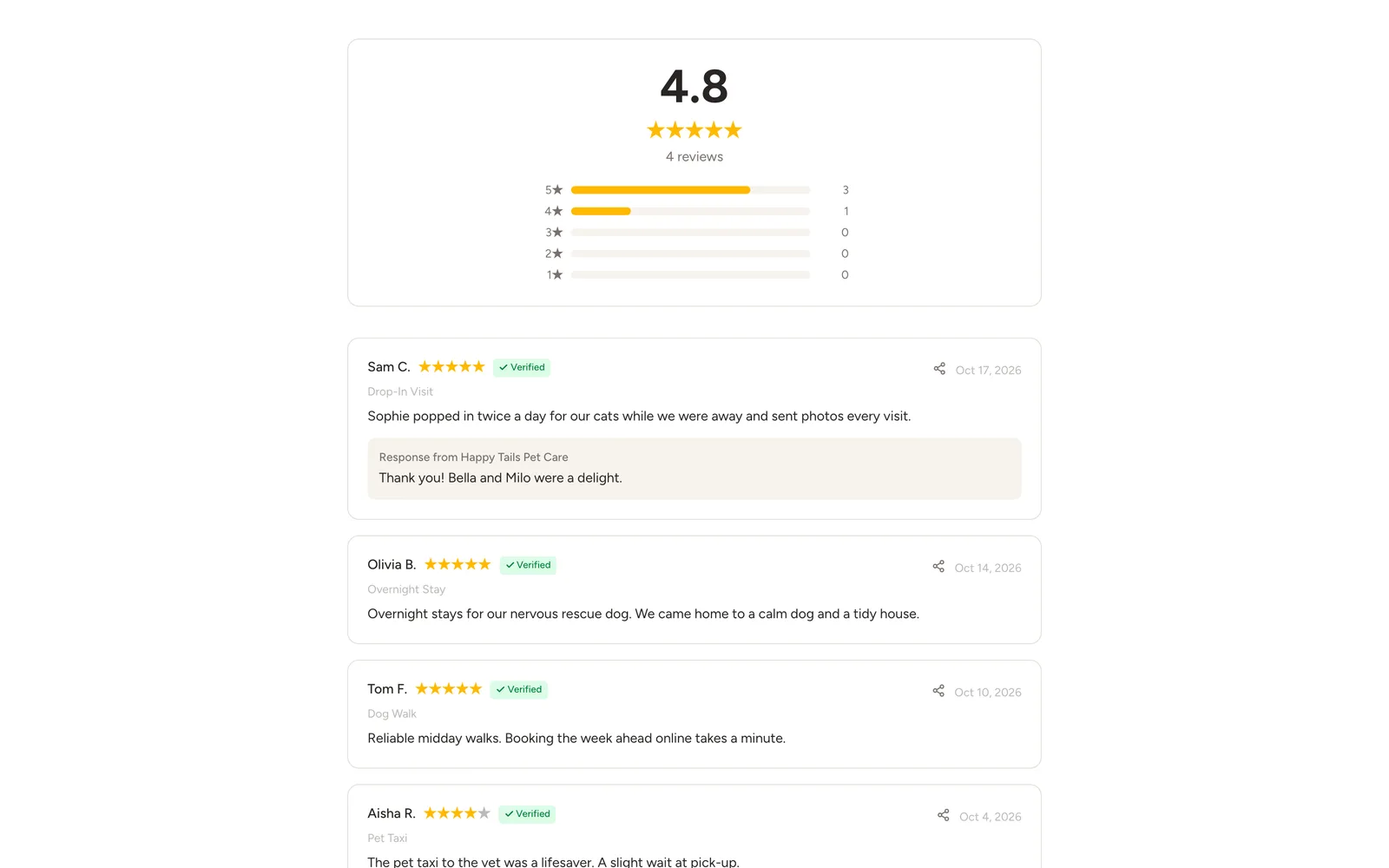
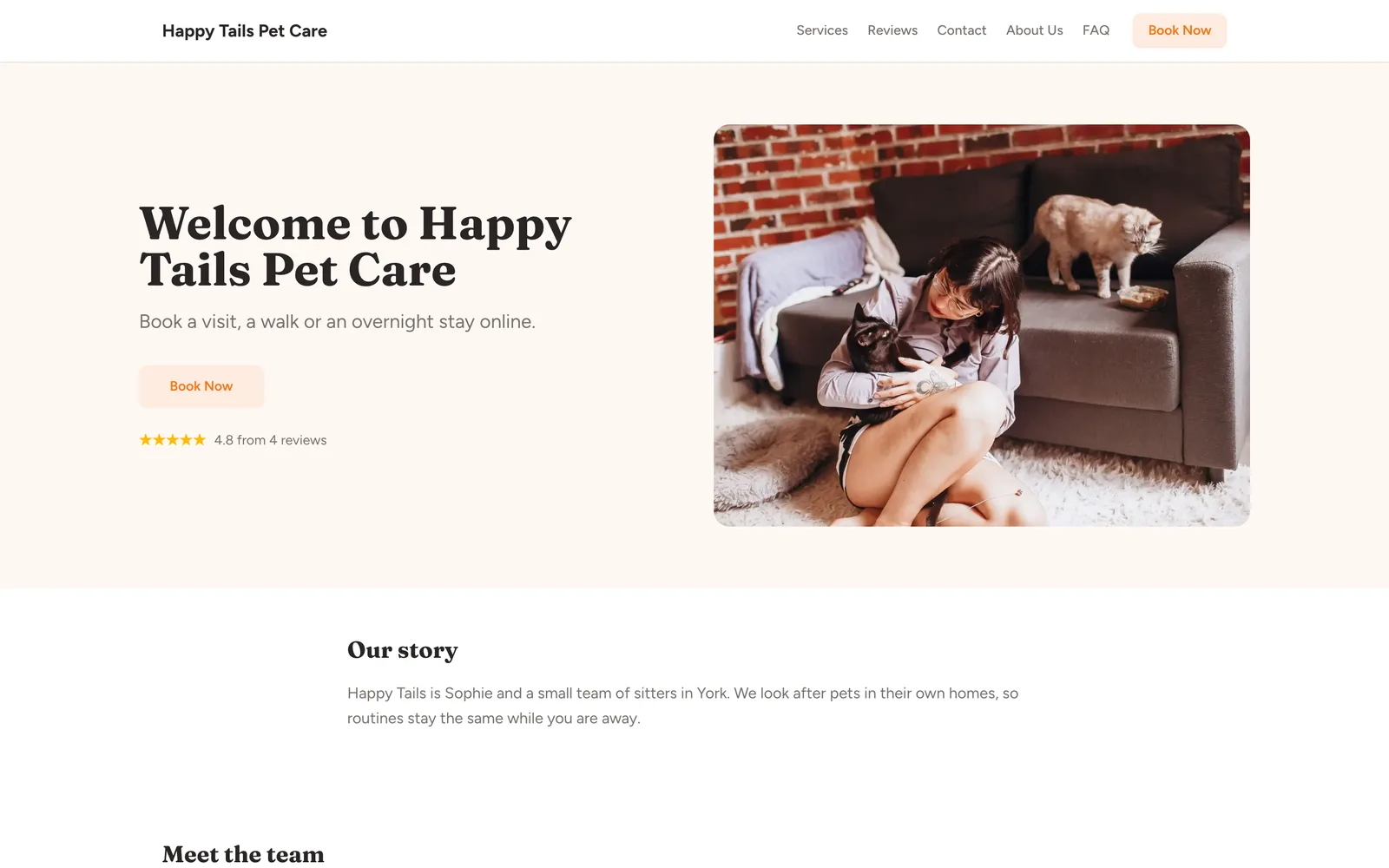
Captured from a working demo account: what your customer sees on their phone, and what you see in the dashboard.
Embed on your site
Embed the booking widget on your pet sitting website so pet parents book anytime.
Share a booking link
Share your booking link on Rover alternatives, Nextdoor, or your Google Business page.
Free website
Your free website is a professional multi-page pet sitting site with templates and booking built in.
Auto-collect reviews
After every sitting, auto-collect reviews with adorable pet photos from happy clients.
Sound familiar?
These are the problems that cost you time, money, and clients every week.
Holidays are your busiest time but also when you get the most last-minute cancellations.
Deposits at booking mean pet parents are financially committed. Cancellation rates drop sharply during peak seasons.
You juggle texts from 15 different pet parents asking about availability and pricing.
Your booking page shows real-time availability and calculates pricing automatically. Zero back-and-forth texting.
You send adorable pet photos during every sitting but never turn that goodwill into reviews.
Auto-request reviews after every sitting. Pet parents love sharing photos of their happy pets.
Core advantages
Why pet sitting businesses choose BookingMachine
Per-Pet & Per-Visit Pricing
Charge by number of pets, visit duration, overnight vs. drop-in, and special needs. Pet parents see the total before booking.
Deposits Secure Holiday Bookings
Holiday pet sitting fills up fast. Deposits ensure clients are committed and you can plan your schedule with confidence.
Photo Update Reviews
Pet parents love seeing their fur babies happy. After the sitting, auto-collect reviews with the cute photos you already took.
Features
Everything pet sitters need, in one place
Multi-Pet Pricing
Charge for additional pets with per-pet surcharges. Families with multiple pets see accurate pricing instantly.
Visit Types
Drop-in visits, dog walking, overnight stays, house sitting — each service with its own duration and pricing.
Pet Profiles
Store pet name, breed, age, medications, feeding schedule, vet info, and special needs for every client.
Holiday & Peak Pricing
Set a high-season price for Christmas, Thanksgiving, July 4th, and other peak dates. It is charged by itself on those dates.
Key & Alarm Management
Track key handoffs, alarm codes, and access instructions for every client — all stored securely.
Recurring Walk Schedules
Daily dog walking clients can book recurring schedules — Monday through Friday walks with automatic billing.
Free website
A website made for pet sitters
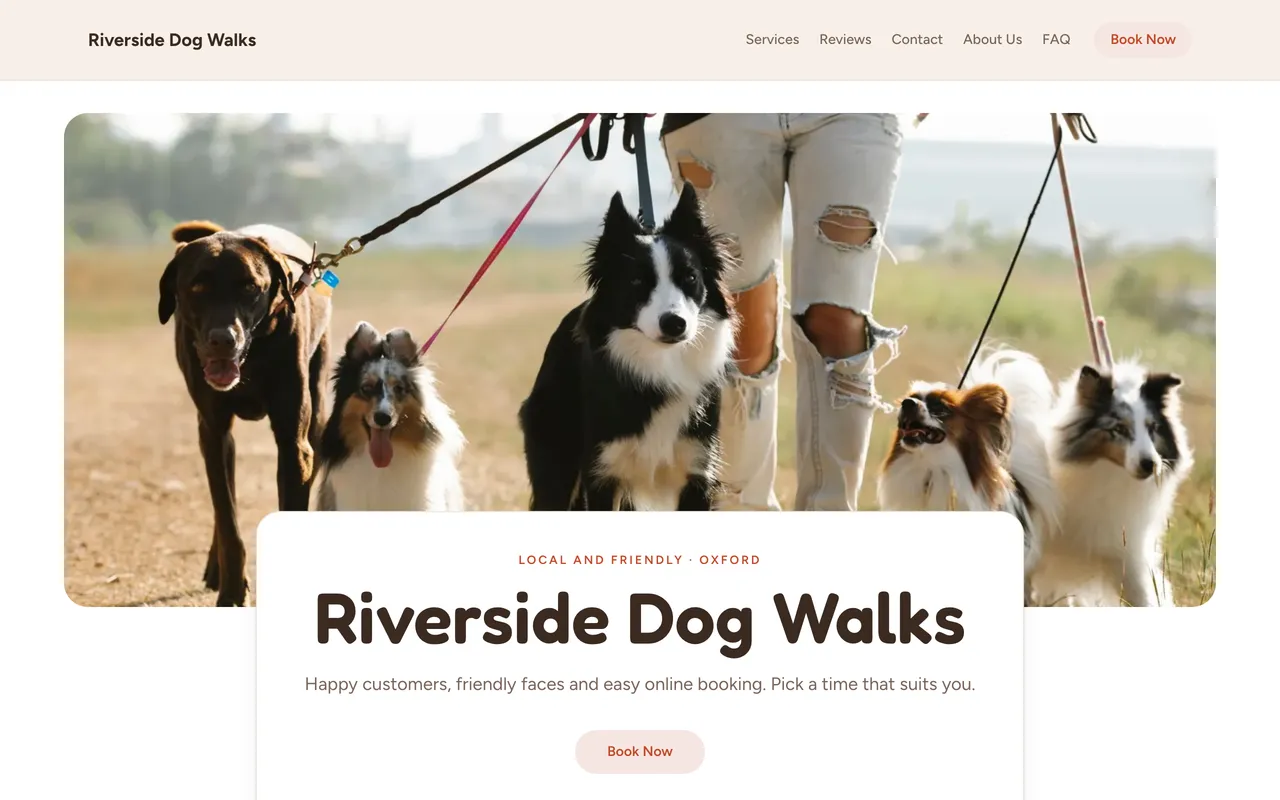
Every account comes with a bookable website built from your services, prices and reviews. The Playful template was designed for pet sitters: warm peach and mint, round shapes and soft buttons. Friendly faces first.

Playful
Warm peach and mint, round shapes and soft buttons. Friendly faces first.
Pricing engine
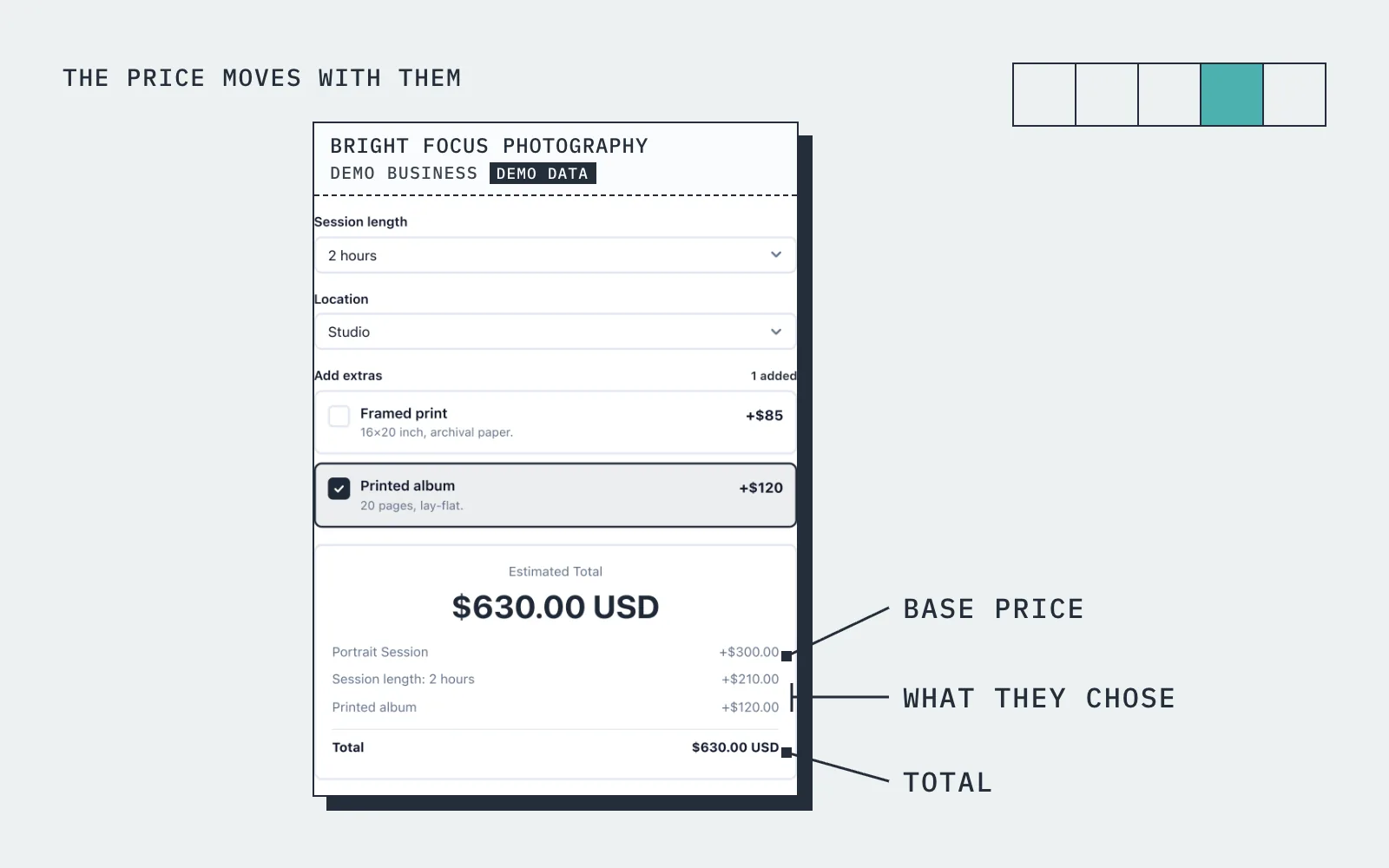
The price moves with what they choose
A pet parent selects "Overnight Stay", adds 2 dogs and 1 cat, picks New Year's Eve. The widget shows the holiday rate of $95/night and a $48 deposit.
How it works
Up and running in three steps
Start free
No card needed. Add your business name and you are in.
Add your services and prices
Set what you sell, what changes the price, and your hours.
Share it and get booked
Share your link, embed it on your site, or publish your free website.
Guide
Pet Sitting booking: what to know
Pricing by visit, by hour or by night
Pet sitting is sold three ways, and the booking system has to handle all of them. A drop-in visit is a fixed price for a fixed length. A dog walk or a day of care is priced by the hour. An overnight stay, in your home or theirs, is priced by the night. In BookingMachine each of those is its own service with its own duration and price, so a sixty minute walk and a three night stay can sit on the same booking form.
Price variables take care of the extras. A second pet, a puppy or a senior dog, a bank holiday, a late pick-up or a longer drive can each add to the price, and a weekday or off-peak visit can take something off. The owner picks the options and sees the total change in front of them, which is the end of quoting by text message.
Recurring visits and regular dog walks
Most of a pet sitter's income is the regular client: the same dog, the same days, every week. A good pet sitter booking system lets that be booked once as a recurring booking rather than re-entered every Monday. BookingMachine supports recurring bookings, so the Tuesday and Thursday walk becomes a standing arrangement that appears in your diary without anyone doing anything.
Recurring work also makes your capacity visible. Because the standing walks are already in the diary, a new owner looking for a midday slot only sees the times that are actually free, and the slot they book is removed for everyone else. Standing clients can carry a recurring discount through the pricing rules, which is a simple way to reward loyalty without a separate price list.
Pet profiles and the details you need before a visit
Before you walk into someone's house to feed a cat you need the practical details: the pet's name and breed, medication, where the key is, the vet, who to call. The booking form can ask for the fields you choose, so the information arrives with the booking rather than in a flurry of messages the night before. Every booking comes to your dashboard and your inbox with those answers attached.
Each owner also has a customer record in your dashboard, which keeps their bookings, notes and pet details together. When the same owner books again you can see the history, and you can tag regulars, new clients and the ones who have gone quiet. For a sitter running on memory and a notebook, having the pets and owners in one place is most of the point.
Can I take a deposit, and how do I avoid double bookings?
Yes, you can take a deposit. For each service you decide whether the owner pays a deposit, pays in full, or pays after the visit, and the card payment is taken when they book and goes to your own Stripe account. Online payments are on the paid plans and need an approved payments application, which we review before switching them on. A deposit on holiday stays in particular stops the last minute cancellation that leaves a week empty.
Double bookings are handled by the diary. Each service has a duration, each booking blocks that time, and a slot that is taken is not offered again. If you work with a second sitter, add them as a team member so the diary covers both of you. You set your hours, including the days you do not work, and owners only see what is genuinely available.
Pet sitting software with an app: what owners actually need
Owners searching for pet sitting software with an app usually want one thing: to book and pay from their phone without a fuss. They do not want to download anything. With BookingMachine they open your booking link or your website in their phone's browser, pick the service and dates, see the price, pay and get a confirmation by email. There is no account to create and nothing to install.
On your side, the dashboard runs in a browser on your phone or laptop, so you can check the diary between visits. The free plan has no card and covers your services and prices, the booking link, the form on your website, your free website and review requests after a completed visit. Deposits and online payments are on the paid plans.
Pricing
Simple, transparent pricing
Start free. Upgrade when you are ready.
Free
Get started for free
- 25 bookings/mo
- 1 team member
- 1 location
- Free website
- 102 MB photo storage
Pro
Turn your website into a booking machine
or $18/mo billed annually (save $72/yr)
- Unlimited bookings
- 4 team members
- 2 locations
- Online payments (Stripe)
- Voucher / discount codes
- Analytics dashboard
- Google Calendar sync
- Premium website
- Dedicated account manager
- 1 GB photo storage
Business
For teams and multi-premises
or $34/mo billed annually (save $180/yr)
- Unlimited bookings
- 15 team members
- 6 locations
- Online payments (Stripe)
- Voucher / discount codes
- Analytics dashboard
- Google Calendar sync
- Premium website
- Dedicated account manager
- 10 GB photo storage
30-day money-back guarantee. No questions asked.
FAQ
Pet Sitting booking software FAQ
Can I charge extra for additional pets?
Yes. Set a per-pet surcharge so families with multiple animals see accurate pricing automatically.
Can I set holiday pricing?
Yes. Set a high-season price for specific dates — Christmas, Thanksgiving, long weekends, and more — and it is charged by itself on those dates.
Can I offer different visit types with different prices?
Absolutely. Create separate services for drop-in visits, dog walks, overnight stays, and house sitting — each with unique pricing.
How do I store pet information?
BookingMachine has built-in pet profiles where you store breed, age, medications, feeding instructions, vet contact, and special needs.
Can clients set up recurring dog walks?
Yes. Clients can book daily or weekly recurring walks. You get a consistent schedule and steady income.
Is there a free plan?
Yes. The free plan covers a limited number of bookings each month, with quotes, invoices and a hosted booking page. Online payments and deposits are on the paid plans. The pricing page has the current limits.
From the blog
Guides for pet sitters
Best Pet Sitting Booking Software in 2026 (Reviewed for Solo Sitters and Small Agencies)
Compare the best pet sitting booking software for solo sitters and small agencies. Deposits, no-show protection, automated reviews and more.
The Best Appointment Booking and Payment Systems for Service Businesses (2026)
Compare the best appointment booking and payment systems for service businesses. Take deposits, reduce no-shows and automate reviews. Updated 2026.
Online Booking System with Deposit: The Complete Guide for Service Businesses
Take deposits at the time of booking, cut no-shows and protect your revenue. The complete guide to choosing a booking system with deposit for service businesses.
How to Collect Deposits and Set Up a Booking Deposit Policy for Your Service Business
Learn how to ask for a deposit, design a fair cancellation policy, and collect payments at booking. Practical guide for salons, trades, cleaners and freelancers.
Free tools
Free tools for pet sitters
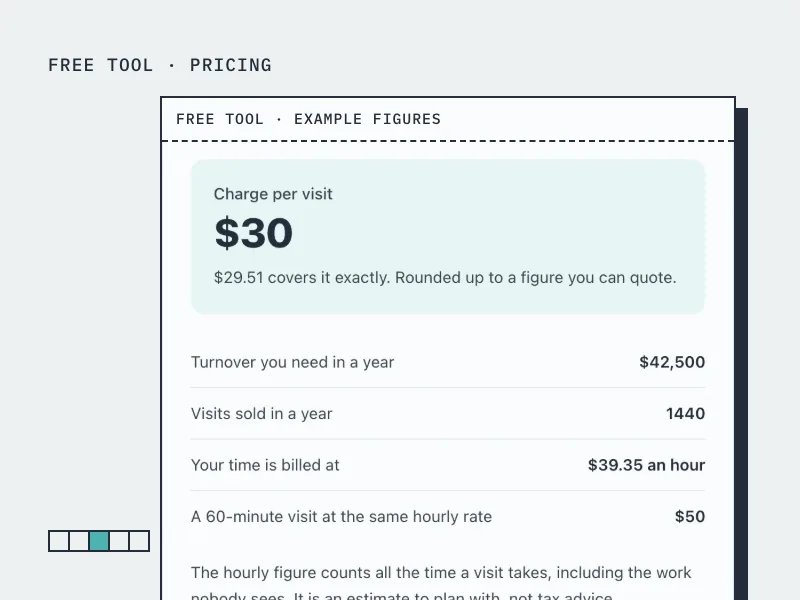
Pet Sitting Rate Calculator
Work out what to charge per visit or walk, with the unpaid travel between clients counted in.
Open the tool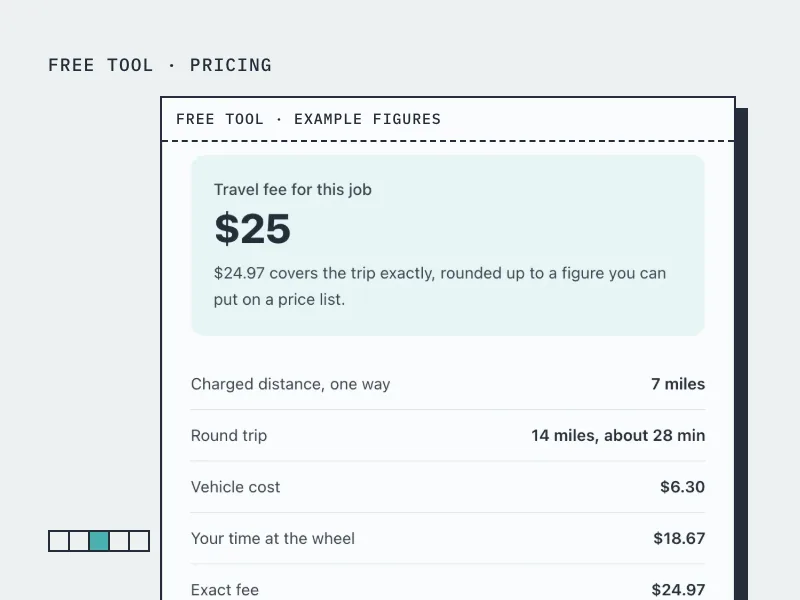
Travel Fee Calculator
Work out what to charge for driving to a customer, from your vehicle costs and the time at the wheel.
Open the tool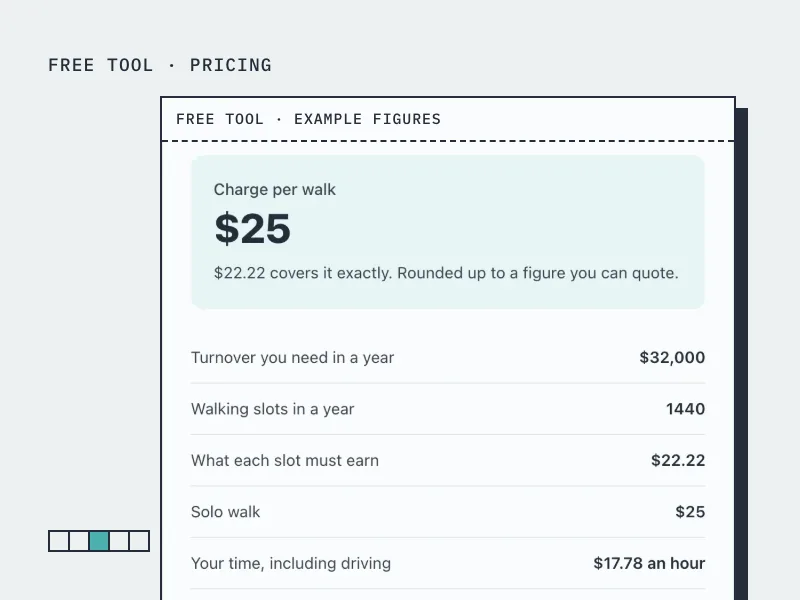
Dog Walking Rate Calculator
Work out what to charge per walk, solo or group, and price blocks of 5, 10 and 20 walks.
Open the tool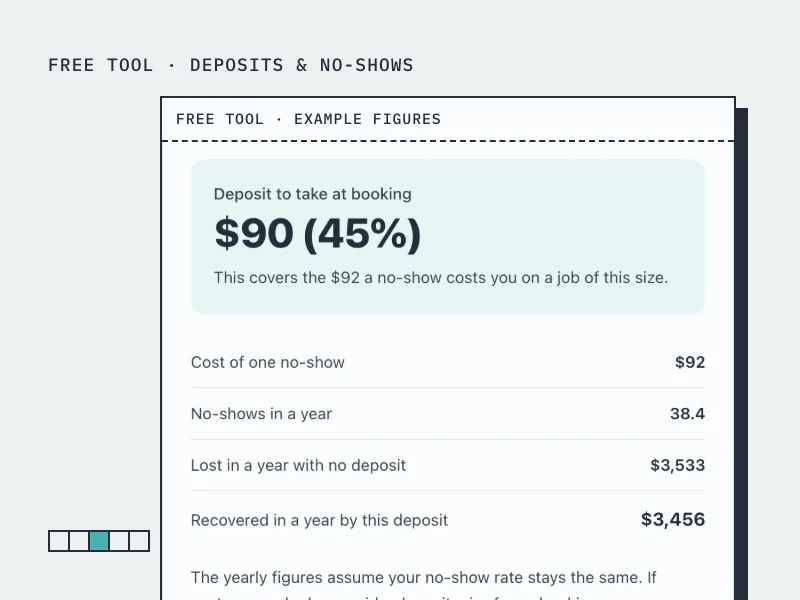
Deposit Calculator
Work out how much deposit to take on a booking, from what a no-show actually costs you.
Open the tool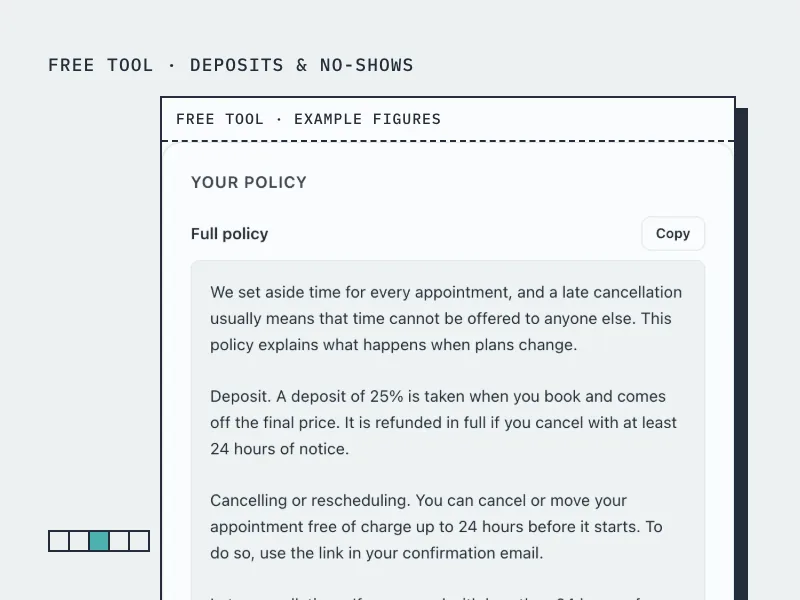
Cancellation Policy Generator
Build a cancellation and no-show policy in your own terms, ready to paste onto your booking page.
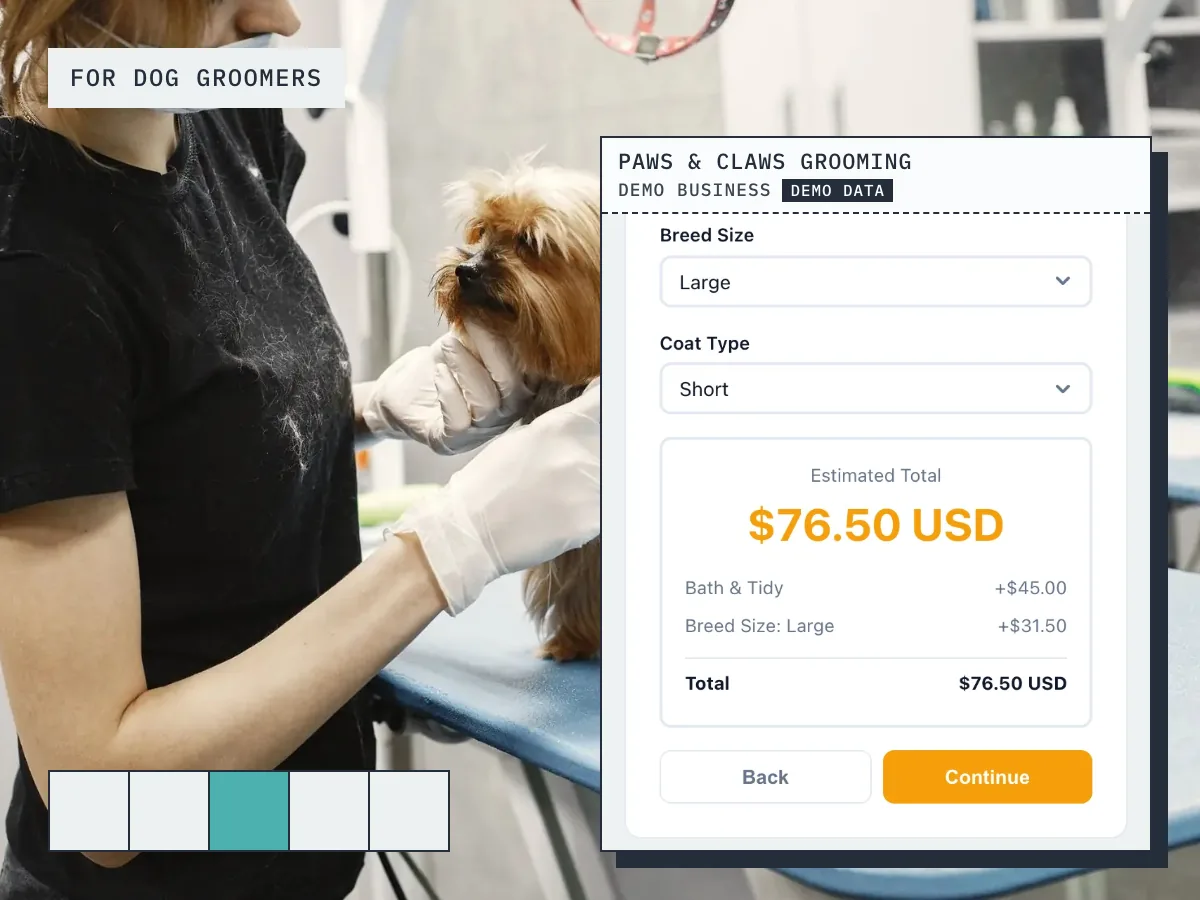
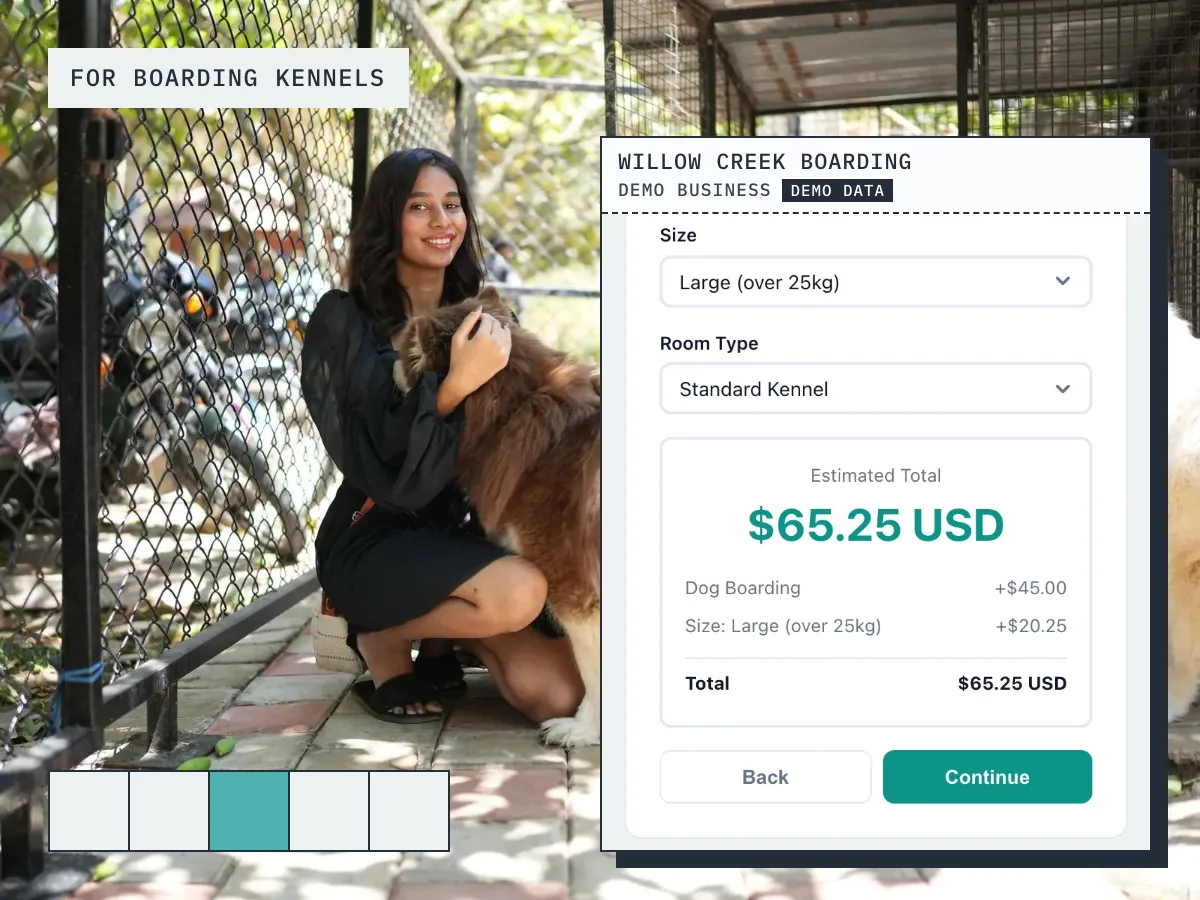
Open the toolBookingMachine works for other industries too
See all industries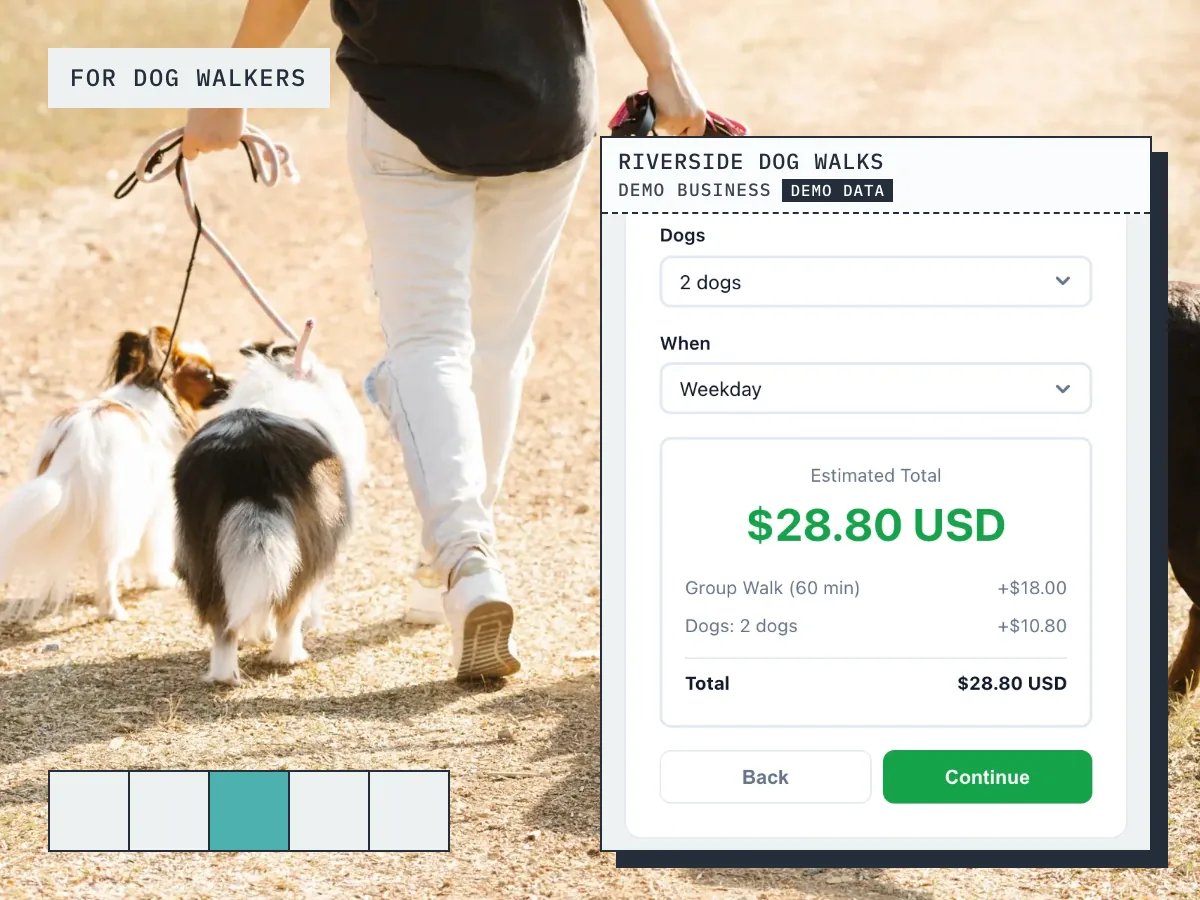
Ready to grow your business?
Start free, add your services and prices, and share your booking link today.