No-shows cost UK service businesses thousands of pounds every year. A client books a 3-hour cleaning slot, a half-day plumbing job or a full-price salon appointment, then simply doesn't show up. The time is lost, the revenue is gone, and you're left chasing. An online booking system with deposit changes that equation completely. By collecting a deposit or card-on-file at the moment of booking, you filter out time-wasters before they ever reach your diary.
Why a Standard Booking System Is Not Enough
Most basic booking tools, including free scheduling links, let anyone grab a slot with zero commitment. That feels convenient, but it creates a real problem for service businesses. A meeting between two colleagues costs nothing if one person cancels. A missed appointment at a hair salon, a skip hire company or a mobile dog groomer costs real money in blocked time, wasted materials and lost earnings.
The difference is commitment. When a customer pays a £30 deposit to book a £150 carpet clean, they have skin in the game. Cancellation rates consistently drop when money changes hands at booking. Studies in the healthcare and beauty sectors show no-show rates fall by 30 to 50 percent when a deposit is required.
A booking system built for service businesses needs to do more than show available slots. It needs to collect payment, enforce a cancellation policy and give you a paper trail if something goes wrong.
Free scheduling tools have no payment or deposit layer built in
Zero-commitment bookings attract casual enquirers, not serious customers
No-shows block your calendar and cannot be back-filled at short notice
Without a card on file, chasing cancellation fees is awkward and rarely successful
What to Look for in a Booking System with Deposit
Not every tool that claims to take deposits is built the same way. Here is what actually matters when you are comparing options.
Deposit collection at the point of booking is the critical feature. Some tools let you add a payment step, but only after the booking is confirmed. That is too late. The deposit needs to be part of the booking flow itself, so the slot is only confirmed once payment clears.
Flexible deposit amounts matter too. You might want a flat £25 deposit on a £100 service, or a percentage (say, 25%) that scales with bigger jobs. Both models are common, and the right system lets you set whichever works for your pricing.
Cancellation policies and card-on-file protection are just as important. If a customer cancels inside your notice period, you need to be able to retain the deposit or charge a late-cancellation fee automatically, without an awkward phone call.
Finally, look at the customer experience. A clunky payment page with too many steps will increase drop-off. The whole flow, from picking a slot to paying the deposit, should take under two minutes on a mobile phone.
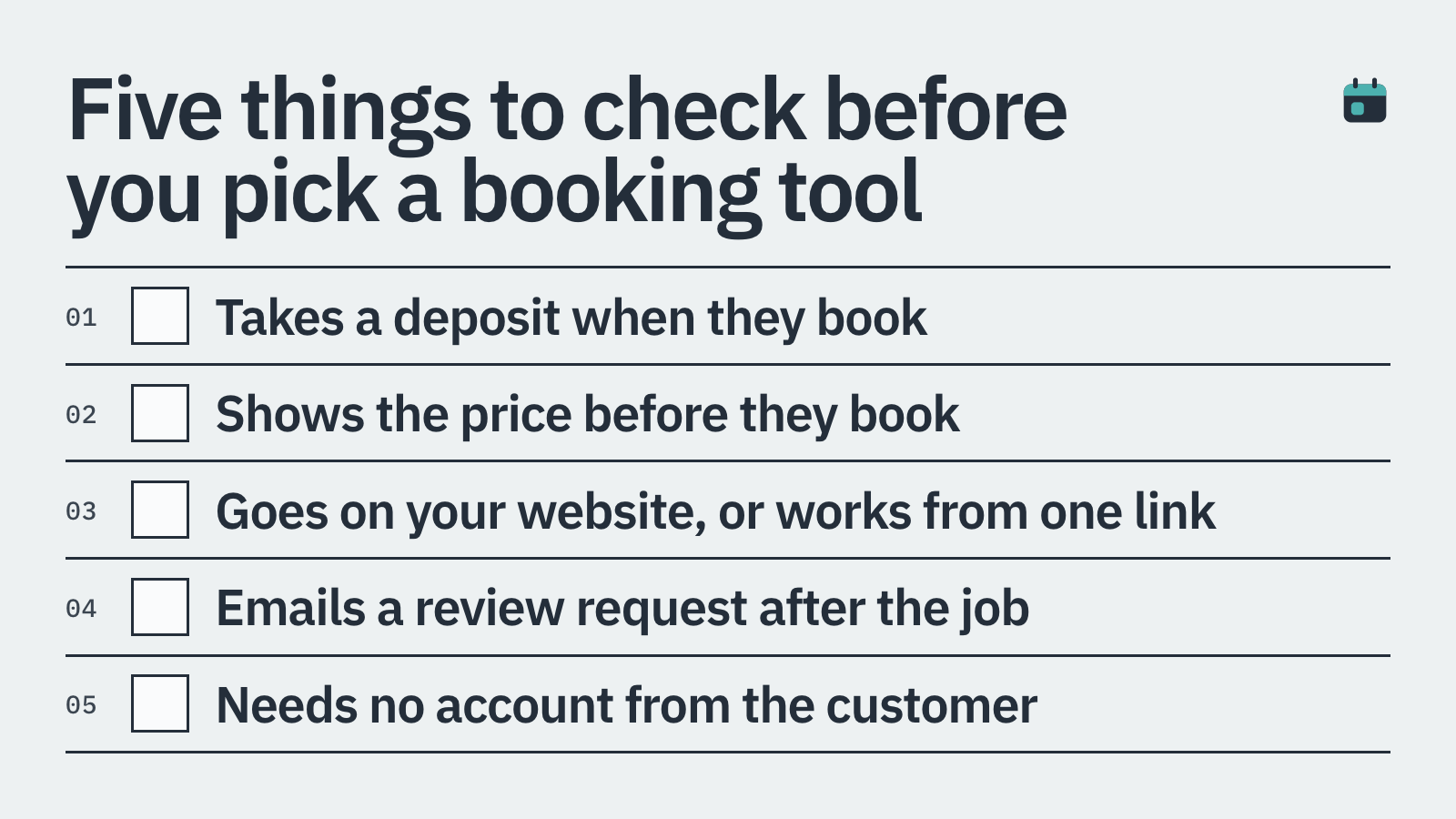
Deposit collected at booking, not after confirmation
Fixed or percentage deposit amounts
Card-on-file for late-cancellation charges
Clear, mobile-friendly checkout with no unnecessary steps
Automatic receipts and booking confirmations for the customer
Embeds on your own website so customers never leave your brand
Types of Service Businesses That Benefit Most
Deposit-based booking is not just for one type of trade. Any business where your time is the product and an empty slot cannot be resold will see a measurable difference.
Cleaning companies are a strong example. A team of two turning up to an empty house wastes two salaries, fuel and half a day. A £40 booking deposit on a £160 clean is a completely reasonable ask, and most genuine customers expect it.
Salons and beauty therapists deal with high no-show rates, particularly for longer appointments like colour treatments or lash sets. A deposit equal to the cost of the materials used protects the business even if the client cancels.
Tradespeople including plumbers, electricians and joiners often block out full days for a single job. A 20 to 25 percent deposit is standard practice in construction, and clients who have paid are far more likely to be ready on the day.
Freelancers and consultants selling time by the hour can use a deposit to confirm project start dates and reduce the risk of a client going quiet after the proposal stage.
Mobile services such as dog groomers, mobile car valeting and personal trainers all carry travel costs that are unrecoverable if a client cancels last minute. A small deposit covers the basics and filters out uncommitted enquiries.
How BookingMachine Handles Deposits
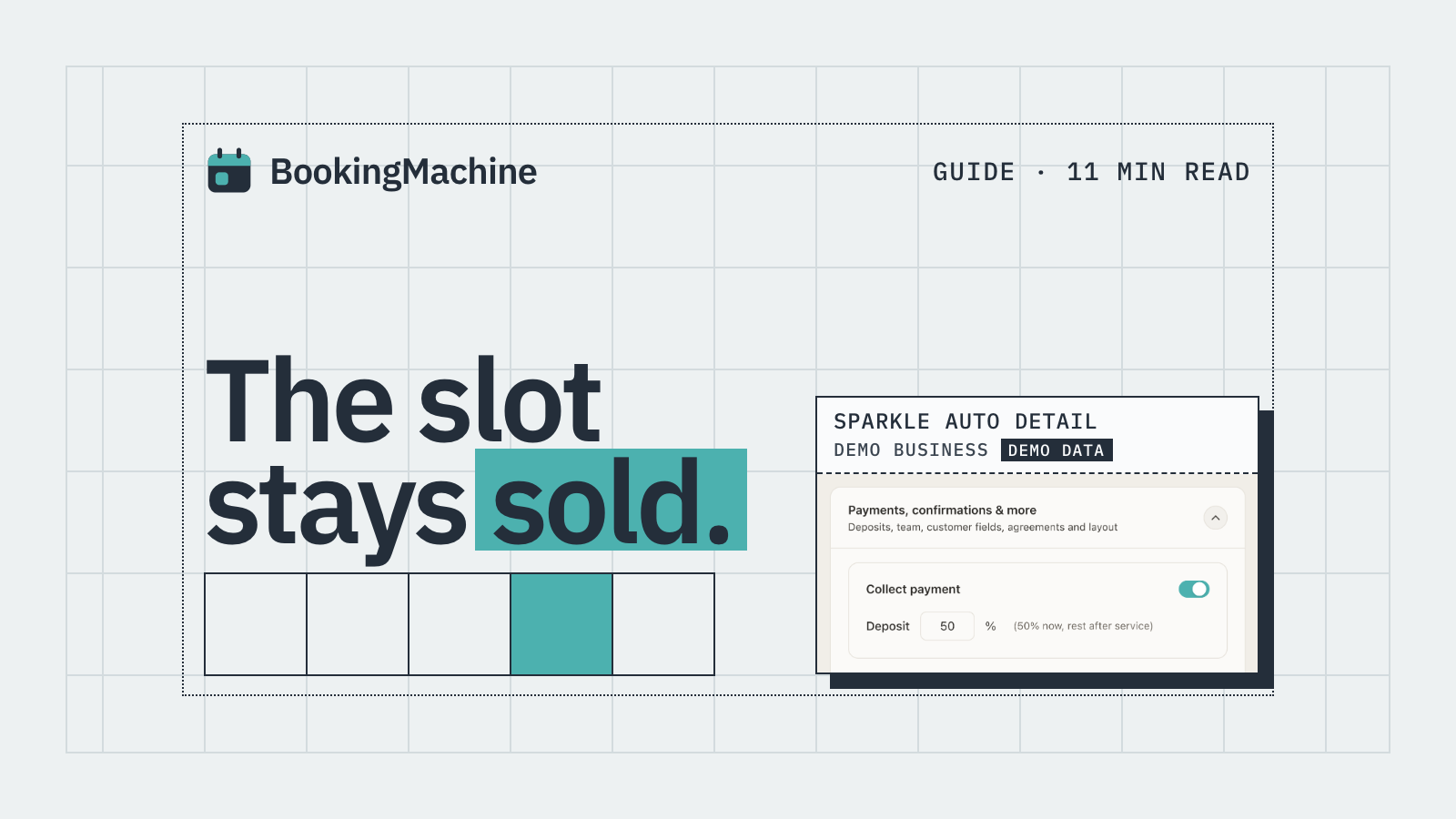
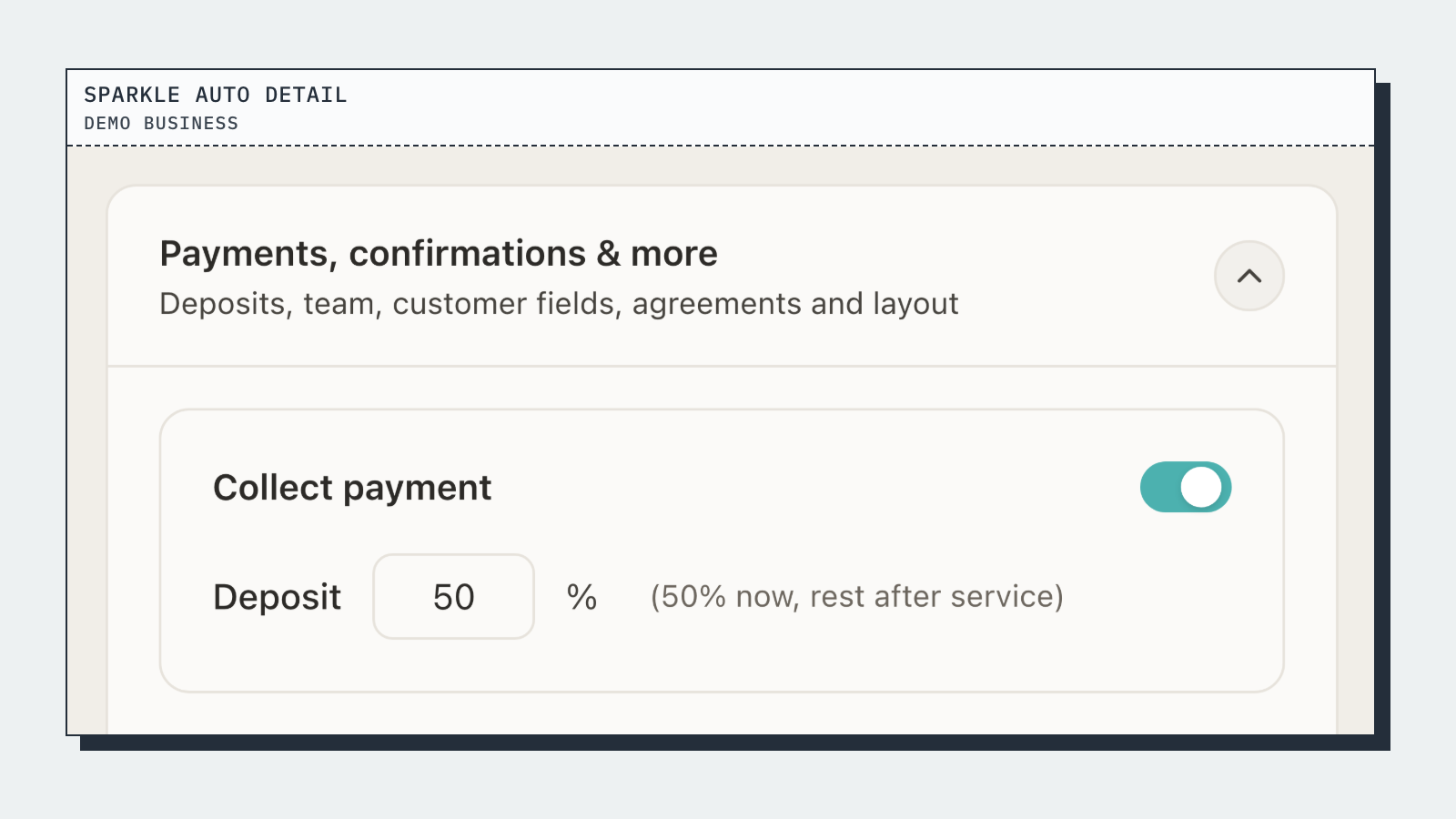
BookingMachine is built specifically for service businesses that need more than a calendar link. When a customer books through your BookingMachine-powered page, they pay the deposit as part of the same checkout flow. The slot is not confirmed until the payment clears, so your diary only fills with committed customers.
You set the deposit amount yourself, either as a fixed figure or a percentage of the total job value. The remainder is collected however suits you, in person, by bank transfer or through a follow-up payment link.
The cancellation policy sits inside the booking too. You define your notice period and what happens if a customer cancels inside it. The card details are held securely on file, so you can apply the policy without chasing anyone manually.
BookingMachine embeds directly on your existing website. Customers stay on your site, see your branding, and complete the booking in one place. There is no redirect to a third-party page with someone else's logo on it.
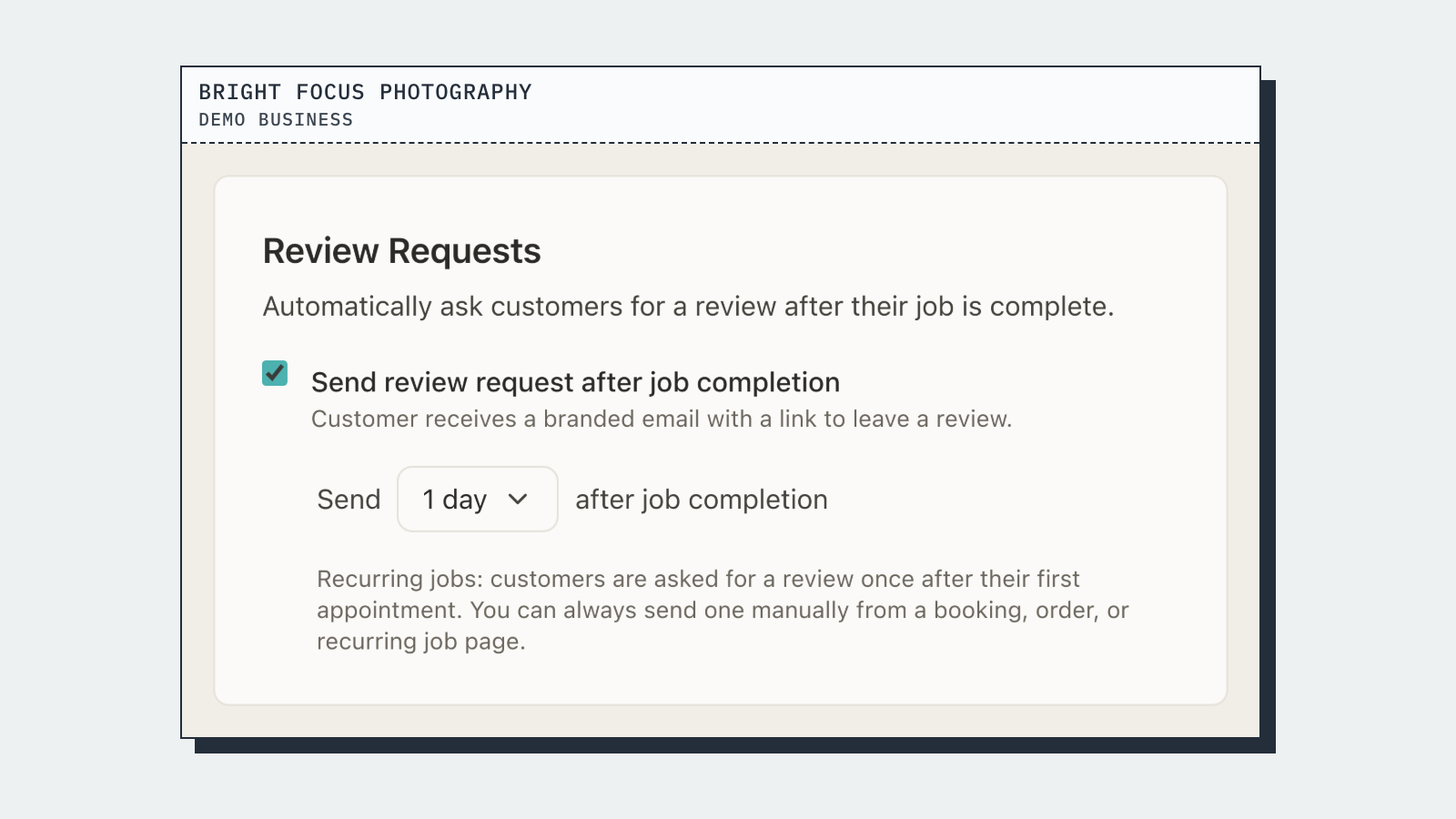
After the job is done, BookingMachine automatically sends a review request to the customer. The request includes a link that makes it simple to leave a written review and, crucially, to upload photos or a short video. Real images from real jobs are far more persuasive than text alone, and they display directly on your website.
Setting Your Deposit Amount: Practical Guidance
There is no single right answer, but there are some useful benchmarks. Most service businesses find that a deposit of 20 to 30 percent of the job value hits the sweet spot. It is enough to create commitment without putting off genuine customers.
For lower-value services under £50, a flat deposit of £10 to £15 often works better than a percentage. For high-value work, a percentage keeps things proportional. A 25 percent deposit on a £600 bathroom refit is £150, which feels fair and covers your material costs if the job falls through.
Be transparent about what happens to the deposit. State clearly on your booking page whether it is refundable (and under what conditions) or non-refundable. Clear terms reduce disputes and set the right expectations from the start.
If you are nervous about introducing deposits for the first time, start with your longest appointments or highest-value services. These are the slots where a no-show hurts most. Once you see the drop in cancellations, extending the policy across the rest of your diary feels straightforward.
20 to 30 percent of job value is the most common range for service businesses
Flat deposits (e.g. £15 to £25) work well for lower-value bookings
Always state refund conditions clearly on the booking page
Start with your highest-value or longest-duration services first
Review your cancellation rate after 4 to 6 weeks and adjust if needed
Automating Reviews After the Job Is Done
Getting a deposit sorted is half the battle. The other half is turning completed jobs into visible social proof. Most happy customers intend to leave a review and then forget. The window is narrow, usually 24 to 48 hours after the service, and if you do not prompt them in that window you have likely missed it.
BookingMachine sends an automated review request after the job is marked as complete. The message goes out by text, which has a far higher open rate than email. The link takes the customer straight to a simple form where they can write their review and attach photos or a short video clip of the work.
Video and image reviews are significantly more convincing than text. A 30-second clip of a freshly painted room, a before-and-after photo of a garden clearance or a quick testimonial from a satisfied client does more for your conversion rate than a five-star rating alone.
Those reviews then display on your website automatically, so every new visitor sees real evidence of your work without you having to do anything manually.
Is BookingMachine Right for You?
BookingMachine is a strong fit if you run a service business, take bookings or appointments, and want to reduce no-shows by collecting a deposit at the time of booking. It works particularly well for cleaners, tradespeople, salon owners, mobile service providers and freelancers who charge by the hour or by the job.
It is not the right tool if you run a purely online product store, need enterprise scheduling with complex third-party integrations, or are simply looking for a free meeting link with no payment layer. For those use cases, other tools will serve you better.
If you have been using Calendly or Acuity and find yourself frustrated that they do not handle deposits or cancellation policies the way a service business needs, BookingMachine is worth a proper look.
How it compares
| Feature | BookingMachine | Calendly | Acuity Scheduling |
|---|---|---|---|
| Deposit at time of booking | Yes | No | Limited |
| Card-on-file / cancellation fees | Yes | No | Limited |
| Built for service businesses | Yes | No (meetings focus) | Partial |
| Embeds on your website | Yes | Yes | Yes |
| Automated text review requests | Yes | No | No |
| Photo and video review collection | Yes | No | No |
| Reviews display on your website | Yes | No | No |
| No-show protection policy | Yes | No | Limited |
| Free meeting-only plan | No | Yes | No |
Can I take a partial deposit rather than the full payment at booking?
Yes. You set the deposit amount yourself, either as a fixed figure or a percentage of the total. The balance can be collected separately, in person or via a payment link, once the work is done.
What happens if a customer cancels after paying a deposit?
You set your own cancellation policy inside BookingMachine. If a customer cancels within your notice period, you can retain the deposit or charge a cancellation fee using the card held on file. Everything is defined upfront in the booking terms, so there are no awkward conversations.
Will adding a deposit put customers off booking?
It will put off customers who were never going to show up. Genuine customers who want the service expect a deposit, particularly for higher-value or time-intensive work. Most service businesses report that enquiry quality actually improves once deposits are introduced.
Does the booking widget work on my existing website?
Yes. BookingMachine embeds on any website, including WordPress, Squarespace, Wix and custom-built sites. Customers complete the entire booking, including the deposit payment, without leaving your site.
How does the automated review request work?
After you mark a job as complete, BookingMachine sends the customer a text message with a link to leave a review. The link takes them to a simple form where they can write a review and upload photos or a video. Reviews display on your website automatically.
Is BookingMachine a good Calendly alternative for service businesses?
Yes, particularly if you need deposits, cancellation protection or automated review collection. Calendly is well suited to meeting scheduling, but it is not designed around the needs of trades, cleaners, salons or other service businesses that need payment as part of the booking flow.
What deposit amount should I charge?
Most service businesses use 20 to 30 percent of the job value. For lower-value services, a flat amount of £10 to £25 often works better. Start with your highest-value appointments and adjust based on your cancellation rate over the first few weeks.
Stop Losing Money to No-Shows
BookingMachine lets you take deposits at the point of booking, enforce your cancellation policy automatically and collect video and photo reviews after every job. Set up your booking page in under 30 minutes and embed it straight on your website.