Finding a single tool that handles appointment booking and payment together is harder than it sounds. Most scheduling tools were built for meetings, not service businesses. They let customers pick a slot, but collecting a deposit, storing a card on file or chasing a review afterwards? That usually requires a separate tool, a workaround or a frustrating monthly fee for a feature that barely works. This guide breaks down what to look for, which tools actually handle payments properly and which type of business each one suits.
Why Booking and Payment Need to Work Together
A booking without a payment commitment is just a promise. For service businesses, a broken promise means an empty slot you could have filled and a job you drove to that wasn't there. Research consistently puts no-show rates for unconfirmed appointments at anywhere from 10% to 30%, depending on the industry.
Taking a deposit at the point of booking changes behaviour immediately. Customers who have paid £30 upfront are far less likely to cancel at midnight or simply not answer the door. A card-on-file policy gives you a fallback even when you offer free cancellation within a reasonable window.
Payment also speeds up the end of a job. If a customer has already paid a deposit, collecting the balance is a smaller conversation. Some service businesses collect the full amount at booking and remove the awkward payment chat entirely.
What to Look For in an Appointment Booking and Payment System
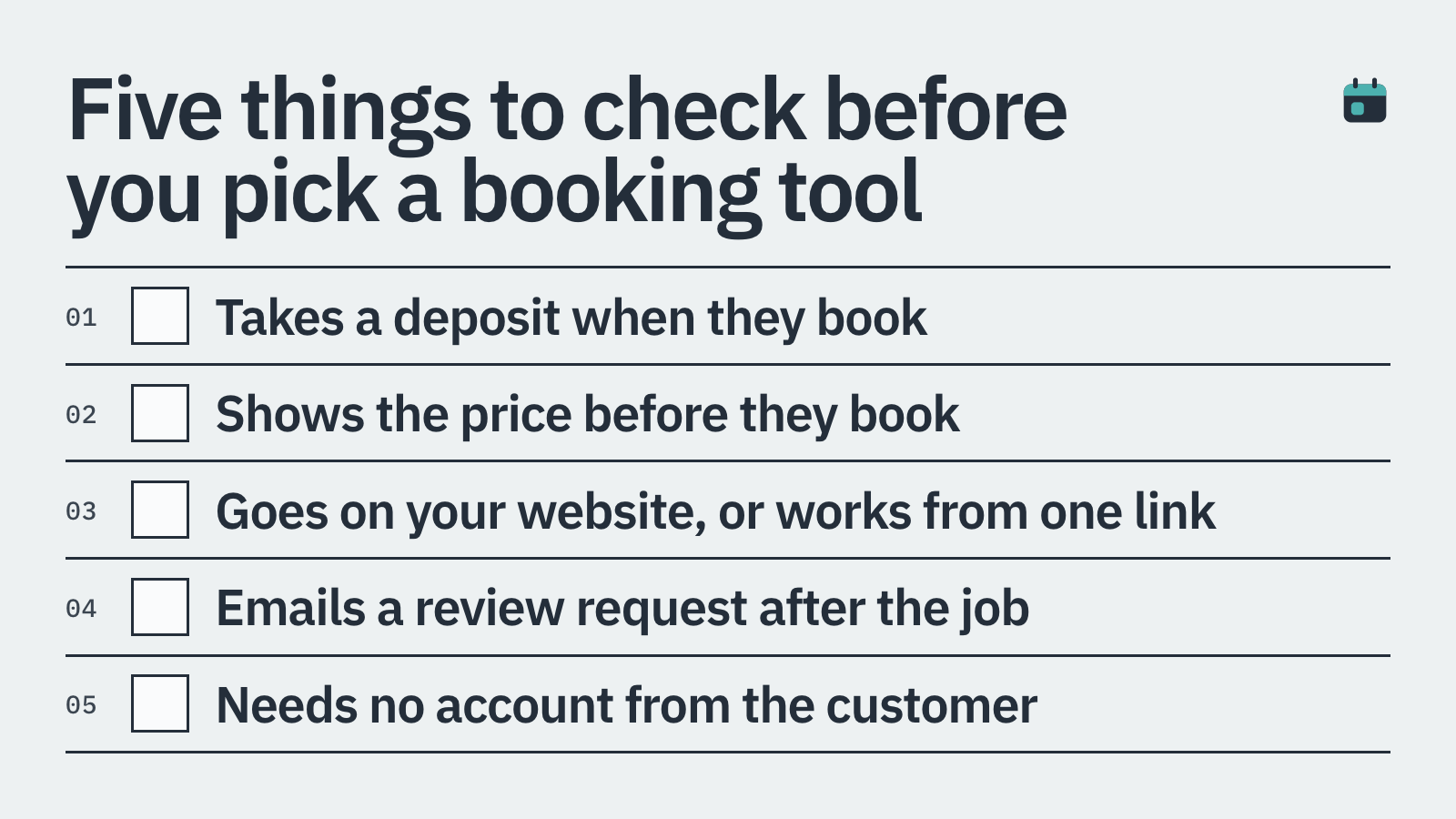
Not every tool does all of this well. Before committing to a platform, check it against the criteria that actually matter for a service business.
Deposit or full payment at the time of booking, not as an optional add-on
Card-on-file support so you can charge a cancellation or no-show fee
Cancellation and rescheduling policies you control, not the customer
Embeds on your own website rather than sending customers to a third-party page
Automated reminders by SMS or email to cut down on forgotten appointments
Post-job review requests, ideally with the ability to collect photos or video
Clear pricing with no surprise transaction fees on top of card processing
The Top Appointment Booking and Payment Systems in 2026
Here are the tools worth considering, along with an honest take on where each one fits.
1. BookingMachine
BookingMachine was built specifically for service businesses: cleaners, tradespeople, salons, freelancers and anyone else who charges for their time or skills. The core difference is that payment is part of the booking flow, not bolted on afterwards.
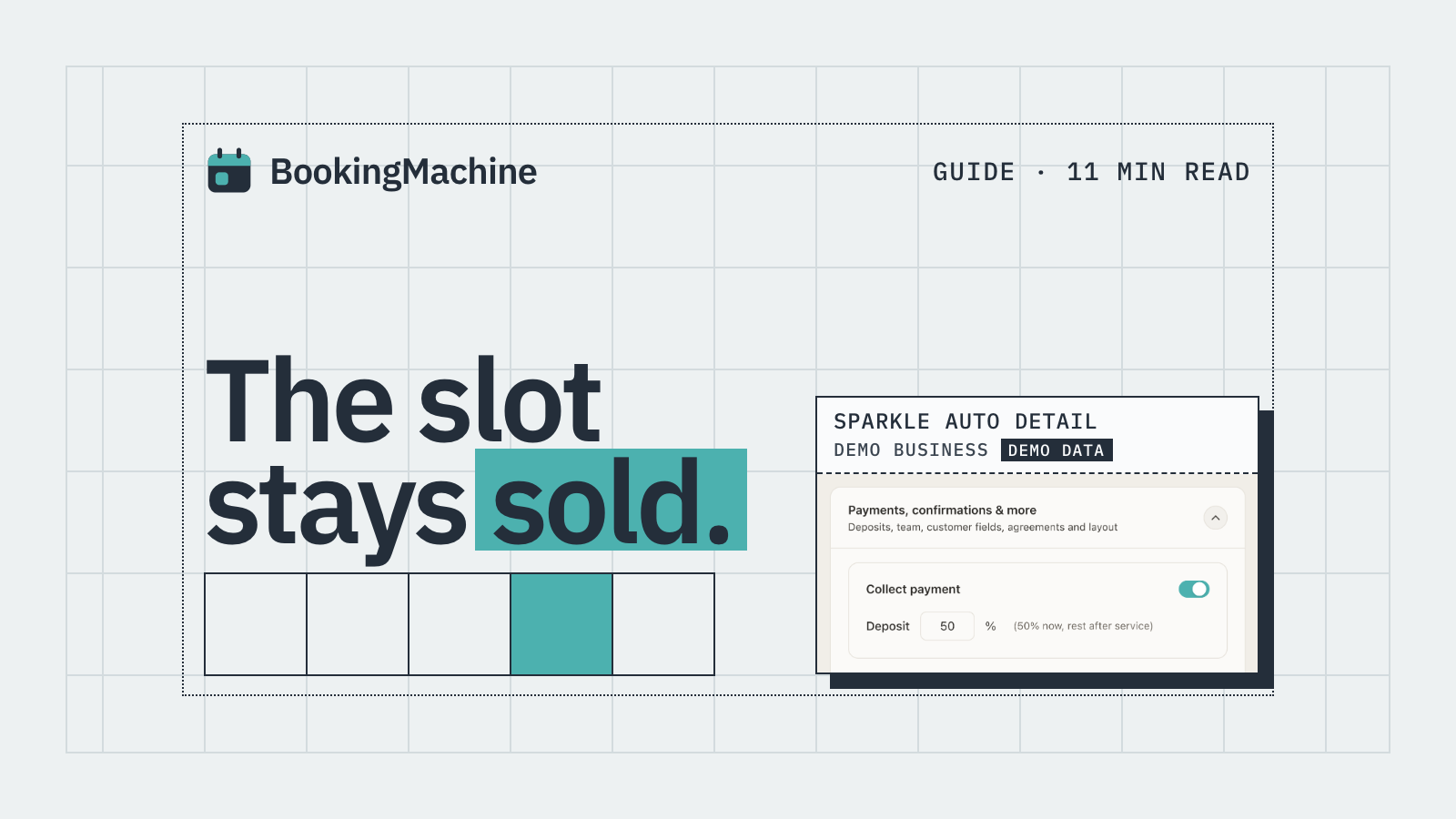
Customers book a slot, pay a deposit (or the full amount) and a card is stored on file in a single step. If they cancel outside your policy window, you can charge the card. No chasing, no awkward calls.
The booking widget embeds directly into your own site, so customers never leave your pages. After a job is completed, BookingMachine automatically sends a review request that lets customers write a review and upload photos or a short video. Those reviews can then be displayed on your website, which is something most booking tools do not touch at all.
Pricing starts at £29 per month. There are no per-booking fees on top of standard card processing rates. Best fit: any UK service business taking more than a handful of bookings per week and tired of no-shows.
2. Acuity Scheduling
Acuity (now part of Squarespace) is a well-established scheduling tool with payment support through Stripe, Square and PayPal. You can require payment at booking, which is a step ahead of Calendly.
The interface is more complex than newer tools and the design customisation is limited unless you are comfortable with CSS. It suits solo practitioners or small clinics who need intake forms alongside bookings.
No-show protection is possible but requires manual setup of cancellation policies, and there is no built-in review request feature. Pricing runs from around $16 to $49 per month (USD). UK businesses will pay in dollars and may find the Squarespace ecosystem a slight mismatch.
3. Square Appointments
Square Appointments is a strong choice if you already use Square for in-person payments. The free plan covers a single user and includes basic online booking, which is hard to beat at that price.
Deposit and prepayment options are available on paid plans (from around $29 per month for teams). The no-show protection feature lets you hold a card and charge a fee, which works well for salons and barbershops.
The limitation is ecosystem lock-in. It works best if Square is already your payment processor. Integrating it with an existing website or a different payment provider adds friction.
4. Calendly
Calendly is the default recommendation for anyone who needs a scheduling link, and it does that job well. The interface is clean, setup takes minutes and it connects to most calendar apps.
The problem for service businesses is that payments are a secondary feature. You can collect payment via Stripe on certain plans, but deposits, card-on-file policies and no-show charges are not part of the core product. Calendly was built for meetings, demos and consultations, not for a plumber who needs a £50 call-out deposit before driving across town.
If you only need a free link to share and have no interest in deposits, Calendly is fine. If you are losing money to no-shows or need to charge upfront, it will not solve the problem.
5. Fresha
Fresha is aimed at hair salons, beauty therapists and spas. The base software is free, which sounds appealing, but Fresha charges a 20% fee on new clients booked through its marketplace plus a transaction fee on payments. For an established business with returning clients, the fees can mount up quickly.
The feature set for its target market is solid: deposits, no-show protection, POS and a client app. If you run a beauty business and want marketplace exposure to attract new clients, it is worth a look. If you want a straightforward, predictable monthly cost, read the small print carefully first.
6. HoneyBook
HoneyBook is a client management platform aimed at creative freelancers and event professionals. It combines proposals, contracts, invoicing and scheduling in one place, which suits photographers, videographers and event planners.
It is not a lightweight booking widget you drop onto a website. It is a full CRM, and pricing reflects that, starting at around $16 per month (USD) rising to $66 for the premium plan. If you need contracts and proposals as part of your workflow, it earns its cost. If you just need bookings and deposits, it is more tool than you need.
How to Choose the Right Tool for Your Business
Start with your biggest pain point. If no-shows are costing you money, prioritise a tool with deposits and card-on-file. If you already have a website and want a clean booking experience without sending customers elsewhere, prioritise embeddable widgets.
Think about what happens after the booking too. Taking the payment is one thing. Getting a five-star review with photos that you can display on your site is a different kind of value. Tools that handle both ends of the customer journey save you time and build your reputation automatically.
Finally, check the real cost. A free plan with marketplace fees, USD pricing and hidden transaction costs can easily outprice a straightforward £29/month subscription once you do the sums.
Losing money to no-shows: prioritise deposits and card-on-file (BookingMachine, Square Appointments, Acuity)
Running a salon or beauty business with POS needs: consider Fresha or Square Appointments
Need contracts and proposals as well as bookings: HoneyBook or a similar CRM
Just need a free meeting link with no payments: Calendly free plan
Want bookings, deposits, reviews and an embeddable widget on your site: BookingMachine
How it compares
| Feature | BookingMachine | Acuity | Square Appointments | Calendly | Fresha |
|---|---|---|---|---|---|
| Deposit at booking | Yes | Yes | Yes (paid plans) | Limited | Yes |
| Card-on-file / no-show protection | Yes | Manual setup | Yes | No | Yes |
| Embeds on your website | Yes | Yes | Yes | Yes | Partial |
| Automated review requests | Yes (text, photo, video) | No | No | No | No |
| Built for service businesses | Yes | Partial | Partial | No | Salons only |
| Starting price | £29/month | $16/month | Free / $29/month | Free / $10/month | Free + % fees |
Can I take a deposit when a customer books online?
Yes, several tools support this. BookingMachine, Acuity and Square Appointments all let you require a deposit at the point of booking. Calendly supports payment via Stripe on paid plans but is not built around deposits in the same way. Always check that the deposit feature is included on the plan you are looking at, not just on the top tier.
What is a card-on-file policy and do I need one?
A card-on-file policy means the customer's card is securely stored when they book. If they cancel outside your stated window or do not show up, you can charge the card without needing to contact them first. For any service business that travels to a job or blocks out time for a client, it is one of the most effective ways to reduce no-show losses.
Is Calendly good for service businesses that charge for appointments?
Calendly works well for free consultations and meetings. For service businesses that need to charge deposits, apply cancellation fees or store cards on file, it falls short. It was designed for scheduling, not for payment-first service bookings. A tool like BookingMachine is built specifically for that use case.
How do automated review requests work?
Once you mark a job as complete, the system sends the customer a text or email with a link to leave a review. BookingMachine's review request lets customers write a review and upload photos or a short video, which you can then display on your own website. This happens automatically, so you do not have to remember to chase every customer individually.
What is the cheapest appointment booking and payment system?
Square Appointments has a free single-user plan that includes basic online booking. Fresha also has no monthly software fee, but charges a 20% fee on new marketplace clients plus transaction fees. For a straightforward monthly cost that covers deposits, card-on-file and review requests, BookingMachine starts at £29 per month with no per-booking fees.
Can the booking widget embed on my own website?
Not all tools embed cleanly. Some redirect customers to a third-party booking page, which can reduce conversions and takes your customer off your site. BookingMachine's widget embeds directly into any website. Acuity and Square Appointments also offer embeddable options, though the degree of visual customisation varies.
Stop Losing Jobs to No-Shows
BookingMachine lets service businesses take deposits, store cards on file and collect photo and video reviews automatically. Set up in under 30 minutes and embed it straight onto your site.