If you run a service business on your own, or with a small team, finding a booking tool that fits your reality is harder than it looks. Most threads asking this question online go unanswered. The tools that dominate Google results are either built for enterprise teams with IT budgets, or they are meeting-scheduling apps that have nothing to do with taking a deposit for a cleaning job or a haircut. This guide cuts through that. It covers the best booking and scheduling tools for solo operators and small service businesses in 2026, what each one is genuinely good at, where each one falls short, and which situations each one suits best.
What solo and small service businesses actually need
Before comparing tools, it helps to be clear about the job. A one-person cleaning company, a freelance photographer, a mobile beautician, or a small trades firm all have roughly the same set of problems. They need clients to book online without a back-and-forth. They need to get paid, or at least take a deposit, at the point of booking. And they need some protection when a client does not show up.
That last point is where most tools fall flat. Calendly, for example, is excellent at scheduling meetings. It is not built to charge a £50 deposit when someone books a window clean. Acuity Scheduling gets closer, but the pricing and complexity can feel like overkill for a solo operator who just wants to stop losing money to no-shows.
The questions solo operators ask most often are: Can it take a deposit upfront? Does it send reminders automatically? Can I set a cancellation policy? Is it affordable? Does it work on my existing website? Those are the questions this guide answers for each tool.
Online booking without manual back-and-forth
Deposit or prepayment collection at the time of booking
Automated reminders to cut no-shows
Cancellation policies with a card on file
Affordable pricing for a one-person or small-team operation
Easy to embed on an existing website
BookingMachine: built specifically for service businesses
BookingMachine is the option on this list built from the ground up for service businesses, not meeting scheduling. That distinction matters more than it sounds.
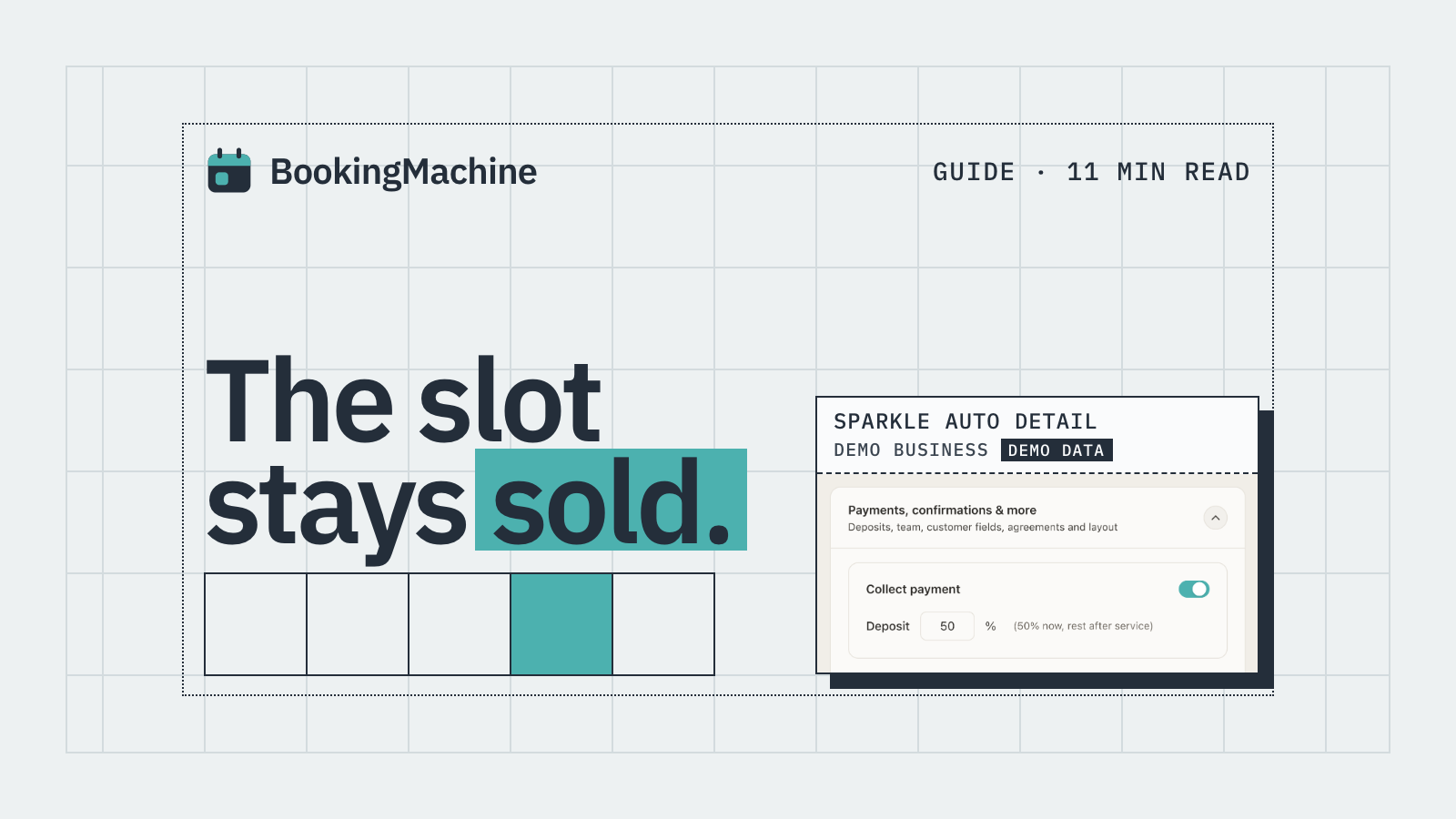
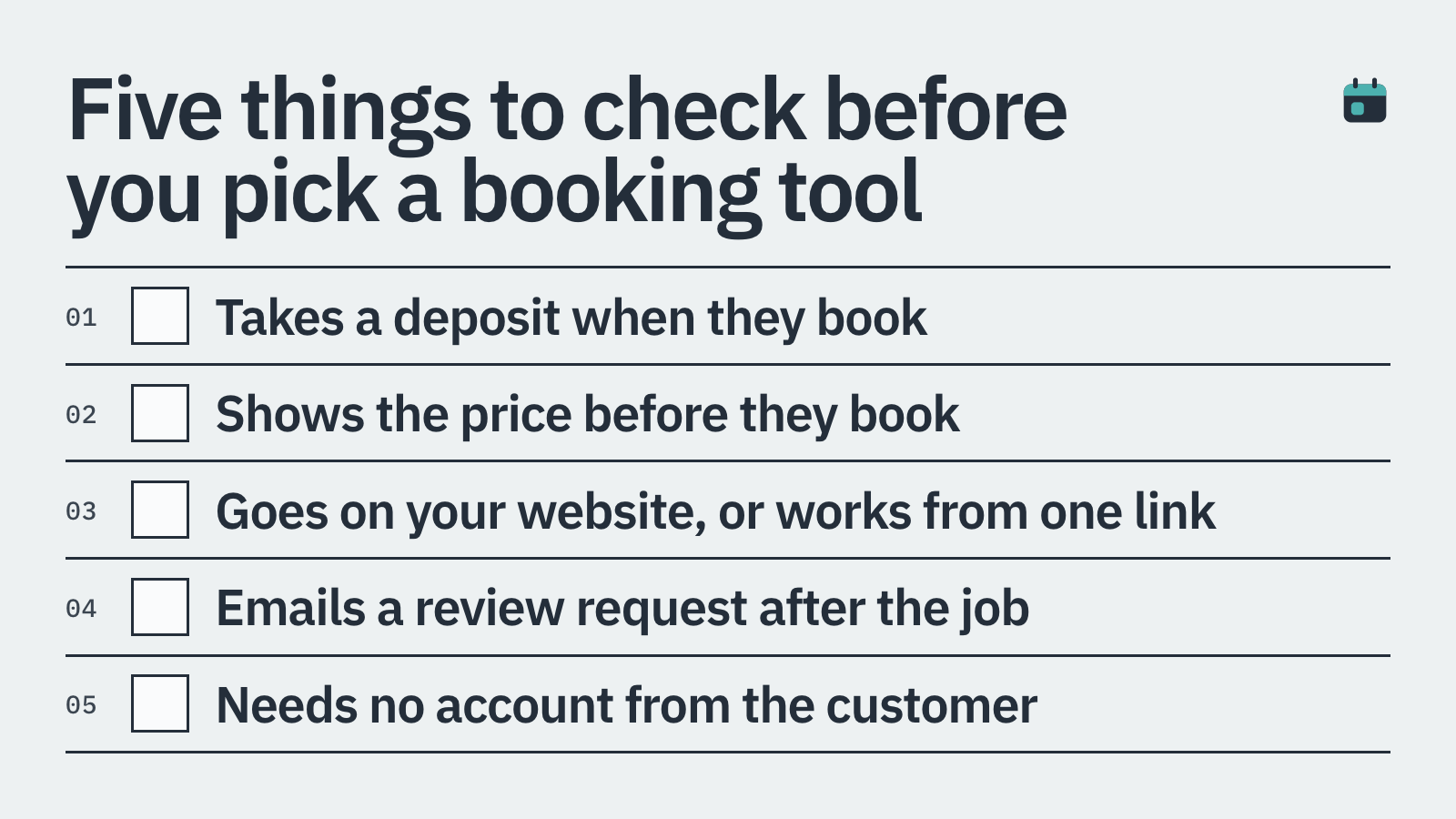
The core feature most solo operators care about is deposits. BookingMachine takes a deposit at the exact moment someone books, before the appointment is confirmed. That single change cuts no-shows dramatically. When a client has £40 of their own money on the line, they either show up or they give you enough notice to fill the slot.
Beyond deposits, BookingMachine holds a card on file and enforces cancellation policies automatically. No awkward conversations, no chasing. The policy is set once, and the software handles it. It embeds directly on your existing site, so clients never leave your page to book.
One feature that stands out from the rest of the field is the automated review request. After a job is completed, the system sends the client a text message with a link to leave a review. That link supports not just text reviews but image and video uploads too, which makes the social proof you collect far more convincing. For a solo operator building a local reputation, that is a real business advantage.
BookingMachine is a strong fit if you are a cleaner, trades worker, salon professional, personal trainer, photographer, or any other solo or small-team service provider who needs to take payments, protect against no-shows, and grow reviews without extra manual work. It is not the right tool if you run a purely online product store or if you just want a free link to schedule a sales call.
Deposits collected at booking, before the slot is confirmed
Card-on-file cancellation policies enforced automatically
Embeds on any existing website
Automated text review requests with image and video upload support
Built for trades, salons, cleaners, freelancers and other service pros
Calendly: the meeting scheduler that is not a booking tool
Calendly is the name that comes up most often in scheduling conversations, and it deserves its reputation for meeting scheduling. The interface is clean, the free tier is generous, and it connects to Google Calendar and Outlook without any hassle.
The problem is that Calendly is designed for scheduling meetings, not for running a service business. You cannot take a deposit through Calendly natively. There is a payments feature via Stripe, but it collects the full amount after booking rather than a true upfront deposit, and the options for cancellation fees or card-on-file policies are limited.
If your main need is scheduling a discovery call or a strategy session where money changes hands separately, Calendly is hard to beat. If you need deposit protection, automated no-show fees, or a booking flow that says 'pay £30 now to secure your slot', Calendly will leave you frustrated.
Best for: scheduling calls and meetings
Free tier available with limited features
Paid plans from around £8 per month
No true deposit or card-on-file protection
Not built for service businesses with physical appointments
Acuity Scheduling: closer to the mark, but complex and pricey
Acuity Scheduling, owned by Squarespace, does handle payments and deposits. That puts it ahead of Calendly for service businesses straight away. You can require a deposit at booking, set up packages, and take payment via Stripe or PayPal.
The trade-off is complexity and cost. Acuity's interface has a steep learning curve compared to simpler tools, and the plans that unlock the features a service business actually needs start at around £16 to £25 per month. For a solo operator just starting out, that is a meaningful overhead.
Acuity is a reasonable choice if you run a salon or studio with multiple staff members and you need features like gift certificates or class scheduling. For a single-person operation that needs a quick, reliable way to take deposits and reduce no-shows, it can feel like a lot of software for what you actually need.
Best for: salons and studios with multiple staff
Deposits and payments supported natively
Plans from approximately £16 to £25 per month
Steeper learning curve than simpler alternatives
Owned by Squarespace, integrates well within that ecosystem
Square Appointments: good if Square is already your payment processor
Square Appointments is free for sole traders, which makes it an attractive starting point. It handles booking, calendar management, and payments through Square's ecosystem. If you already use a Square card reader or Square POS, the integration is very smooth.
The limitations show when you step outside Square's world. The tool is designed to keep you inside Square's payment infrastructure. Customisation of the booking widget is limited. And while Square Appointments does support deposits, the feature is not as flexible as dedicated booking tools.
It is a solid choice for a mobile hairdresser or nail technician who already uses Square to take in-person card payments and wants a free booking page to go alongside it. It is less compelling if you want to embed a fully branded booking form on your own website or need more control over cancellation policies.
Best for: existing Square users needing a free booking add-on
Free plan for individuals, paid plans for teams
Deposits supported but with limited flexibility
Limited customisation outside the Square ecosystem
Works best when Square is your primary payment processor
Zoho Bookings: the budget-friendly option for Zoho users
Zoho Bookings sits within the wider Zoho suite, which means it is a natural fit if you already use Zoho CRM or Zoho Invoice. The pricing is low, with a free tier and paid plans starting under £5 per month in many markets.
The booking experience is functional but not polished. Payment collection requires integration with Stripe or PayPal, and the deposit workflow is less intuitive than dedicated tools. Customer-facing design options are also fairly basic.
If you are a solo freelancer or consultant already invested in the Zoho ecosystem and price is the primary driver, Zoho Bookings is worth a look. If you are starting from scratch and need something that works out of the box for a physical service business, you will likely find it underwhelming.
Best for: existing Zoho users on a tight budget
Free tier available, paid plans from under £5 per month
Payments via Stripe or PayPal integration
Limited polish on the customer-facing booking experience
Works well within the Zoho ecosystem, average as a standalone tool
Housecall Pro: purpose-built for trades, but priced for teams
Housecall Pro is one of the most feature-rich platforms for field service businesses: plumbers, electricians, HVAC technicians, and similar trades. It covers job scheduling, dispatching, invoicing, and customer communication in one place.
The catch is cost. Housecall Pro plans start at around £40 to £60 per month, which makes it hard to justify for a solo operator just getting started. It is also more than most small service businesses need. If you are running a growing trades company with a team of technicians, it starts to make sense. For a one-person window cleaning or gardening business, it is likely too much.
Think of Housecall Pro as the tool you grow into, not the tool you start with.
Best for: growing trades businesses with multiple technicians
Full field service management, not just booking
Plans from approximately £40 to £60 per month
Too heavy and too expensive for most solo operators
Strong reputation in the plumbing, HVAC, and electrical sectors
How to choose the right tool for your situation
The right tool depends on two things above all else: whether you need to collect money at the point of booking, and how much complexity you are prepared to manage.
If you just need to schedule calls or consultations and money is handled separately, Calendly's free plan is hard to argue against. It does that job well.
If you are a service business that takes physical appointments, you need a tool that collects a deposit, enforces cancellation policies, and sends reminders without you doing anything manually. That is where Calendly and basic meeting schedulers stop being useful.
For solo and small-team service businesses that need deposits, no-show protection, and automated review collection in one place, BookingMachine is worth a proper look. It was designed for exactly this situation, and the pricing is aimed at small operators rather than enterprise teams.
Square Appointments and Zoho Bookings are reasonable if you are already inside those ecosystems and price is the dominant factor. Acuity works well for salons with staff. Housecall Pro is the choice when your trades business has grown past the one-person stage.
How it compares
| Feature | BookingMachine | Calendly | Acuity Scheduling | Square Appointments | Zoho Bookings | Housecall Pro |
|---|---|---|---|---|---|---|
| Deposit at booking | Yes | No | Yes | Limited | Limited | Yes |
| Card-on-file / cancellation fee | Yes | No | Partial | Limited | No | Yes |
| Automated reminders | Yes | Yes | Yes | Yes | Yes | Yes |
| Automated review requests (text + video) | Yes | No | No | No | No | No |
| Embeds on any website | Yes | Yes | Yes | Limited | Yes | Limited |
| Built for service businesses | Yes | No | Partial | Partial | No | Yes |
| Free plan available | No | Yes | No | Yes (solo) | Yes | No |
| Best for | Solo/small service businesses | Meeting scheduling | Salons and studios | Square ecosystem users | Zoho ecosystem users | Growing trades teams |
What is the best free booking tool for a solo service business?
Square Appointments has the most capable free plan for solo operators who already use Square for payments. Calendly also has a useful free tier, but it lacks deposit collection, which limits its usefulness for service businesses that need upfront payment. If deposits and no-show protection matter to you, a paid plan on a dedicated tool like BookingMachine will pay for itself quickly by reducing lost revenue.
Can I take a deposit through Calendly?
Calendly has a payments feature via Stripe that can collect payment at booking, but it is not designed around the concept of a deposit as a no-show deterrent. You cannot easily set a partial deposit, hold a card on file, or automatically charge a cancellation fee. For true deposit collection with no-show protection, a tool built for service businesses is a better fit.
Which booking tool is best for a one-person cleaning business?
BookingMachine is a strong match for a solo cleaning business. It collects a deposit at booking, holds a card on file for cancellation fees, sends automated reminders, and requests a review after the job is done. All of that runs automatically, which matters when you have no admin support. Square Appointments is a free alternative if you already use Square, though its deposit features are less flexible.
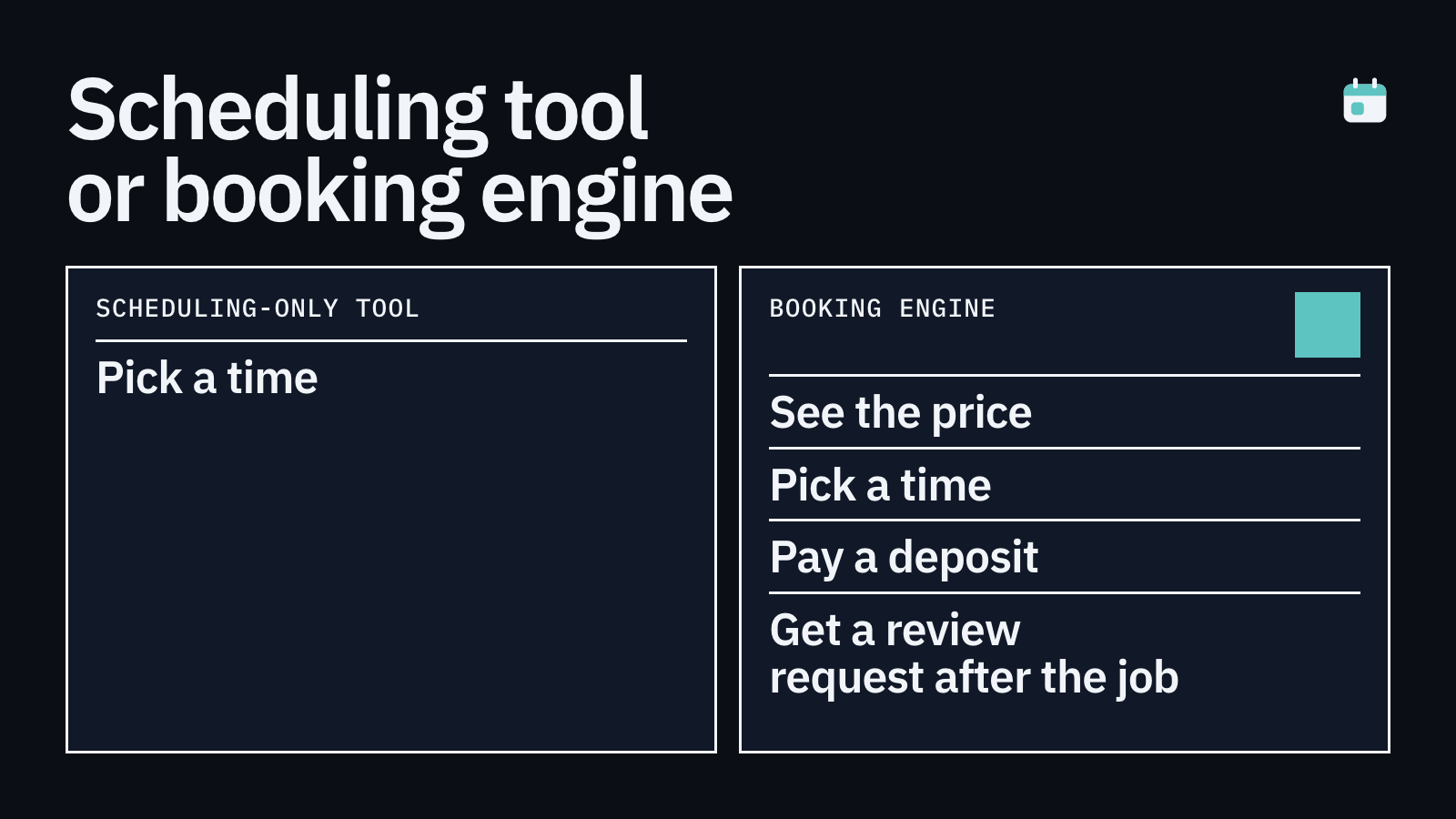
What is the difference between a scheduling tool and a booking tool?
A scheduling tool, like Calendly or Google Calendar booking pages, is designed to arrange when two people meet. A booking tool for service businesses goes further: it collects payment or a deposit, enforces cancellation policies, sends job reminders, and often supports things like review requests. If you are running a service business with physical appointments, you almost certainly need a booking tool rather than a pure scheduling tool.
How much does small business booking software typically cost?
Prices range widely. Zoho Bookings starts under £5 per month. Square Appointments is free for individuals. Calendly's paid plans start around £8 per month. Acuity Scheduling costs roughly £16 to £25 per month. BookingMachine is priced for small service operators. Housecall Pro starts at £40 to £60 per month and is aimed at growing trades teams. The cheapest option is not always the best value: a tool that prevents two no-shows a month at £50 each pays for most paid plans many times over.
Can booking software help me get more reviews?
Yes, if it has that feature built in. Most scheduling tools do not send review requests automatically. BookingMachine sends an automated text to your client after a job is completed, with a link that lets them leave a review including photos and video. That kind of social proof, collected passively without any effort on your part, compounds over time and helps a local service business stand out.
Is Acuity Scheduling worth it for a small business?
Acuity is a capable tool and it does support deposits and payments, which puts it ahead of Calendly for service businesses. The question is whether the cost and complexity are justified. For a solo operator, the setup can feel heavy and the pricing is on the higher side. For a small salon or studio with several staff members and a need for class scheduling or gift certificates, Acuity starts to make more sense.
Stop losing money to no-shows. Start taking deposits today.
BookingMachine lets you embed a booking form on your existing site, collect a deposit at the point of booking, enforce cancellation policies automatically, and request reviews after every job. Built for solo operators and small service teams. No enterprise complexity, no meeting-scheduler workarounds.